Facility Settings and Set Up
Last updated: June 3, 2025
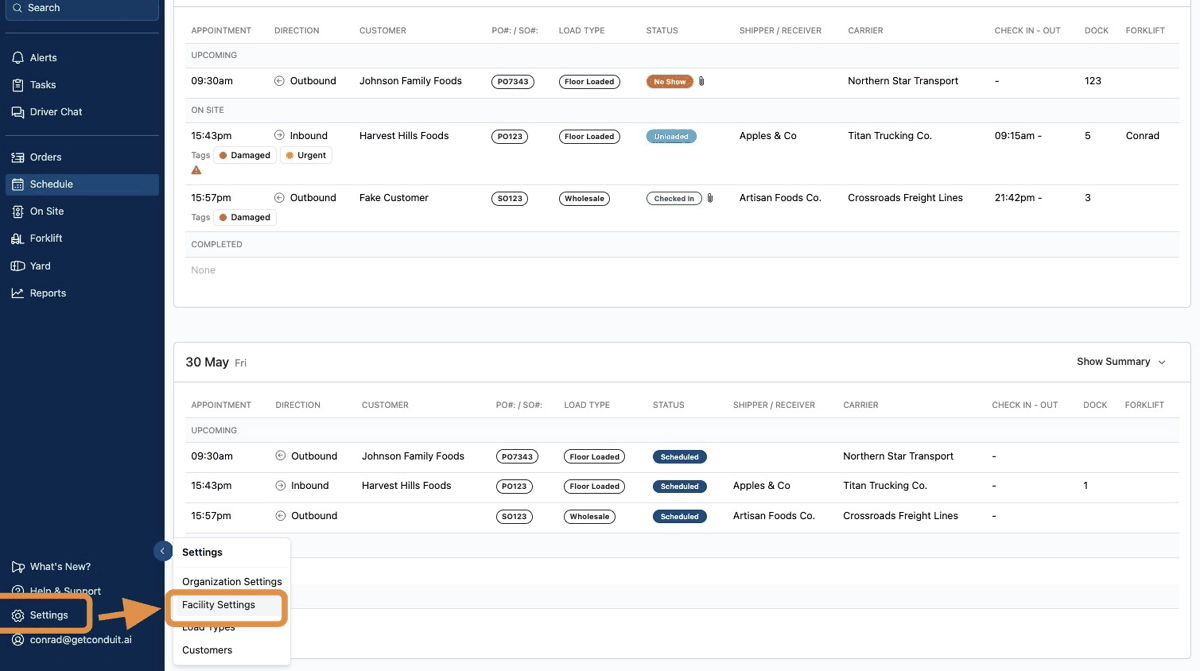
To access facility settings, click the gear in the bottom left corner. Then click Facility Settings.
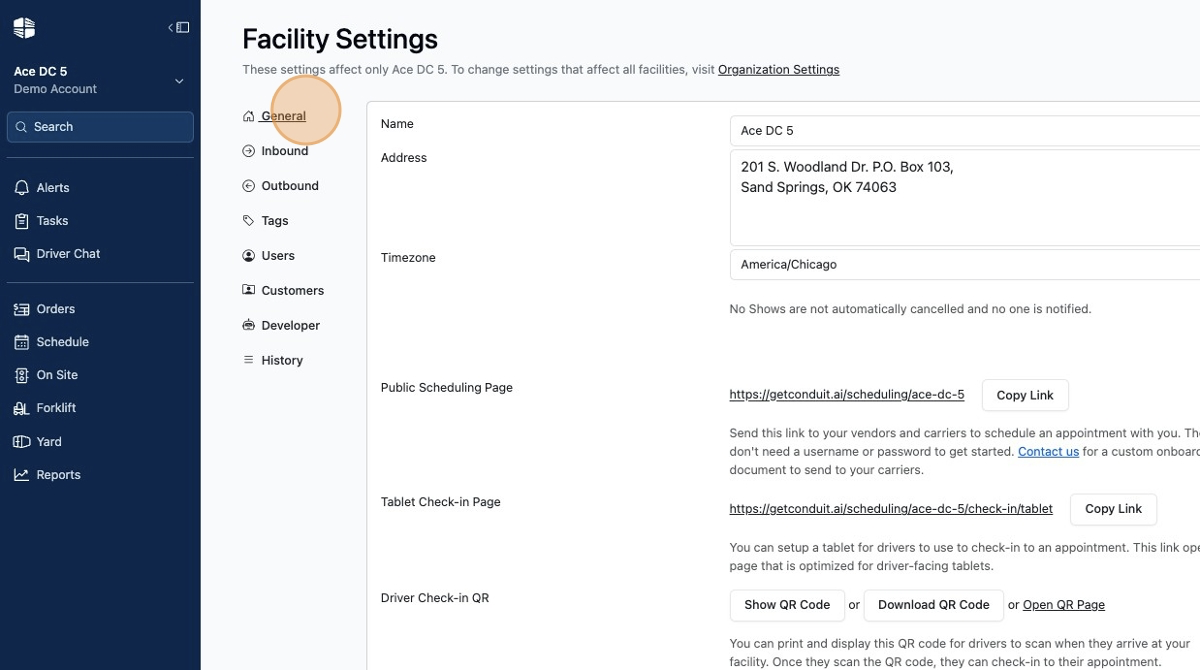
Facility settings are broken into several sections to help you stay organized. The first section is General settings and is used to describe your facility, such as the name, address, and time zone. General settings also includes relevant links for your carriers and partners to book and check in.
To learn more, read our article on General Settings.
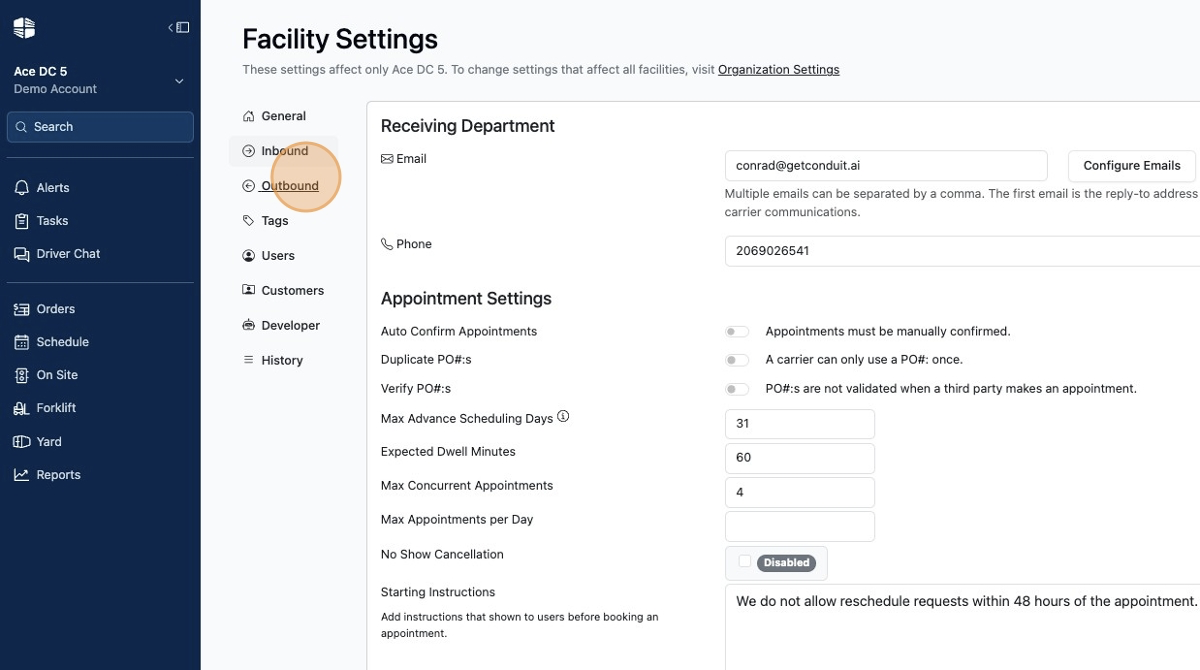
Inbound settings go in depth to help you organize your receiving department on Conduit. Everything from hours of operations to contact information to capacity limits and more. Outbound settings do the same, but can be set up independent of the inbound settings so that you have more control over your operations.
To learn more, read the article about Inbound and Outbound Settings.
Frequently Asked Questions
Can I turn off inbound or outbound all together?
Yes, simply remove hours of operations from either inbound or outbound to disable them.
Why isn't inbound and outbound a load type?
Load types are a good way to capture overly complex business requirements that are not easily interpretable with system logic. Most other scheduling tools use load types to capture everything though. That is problematic when you want to do advanced analytics or labor planning. As such, Conduit separates direction, cargo type, quantity, trailer type, customer, carrier, and many other functions into discrete data fields that allow for better planning and control over your warehouse.