Confirm or Decline an Appointment Request
Last updated: October 9, 2025
Instructions for Confirming
If you have "Auto-Confirm Appointments" turned on for your facility, appointments will show up as scheduled and will not need to be confirmed. For details of how to turn that on, please read Auto-Confirming Appointments.
When someone schedules an appointment through the Public Scheduling Link, it will appear on your Schedule as a "Request". You will also receive a notification in the left navigation bar.
Click on the appointment from the Schedule or the Appointment Request from the left navigation bar. It will open the appointment details. Click "Confirm Appointment" to confirm. If you want to change the appointment to a different time, see those instructions below.
You're done! You will now see the confirmed appointment on your schedule.
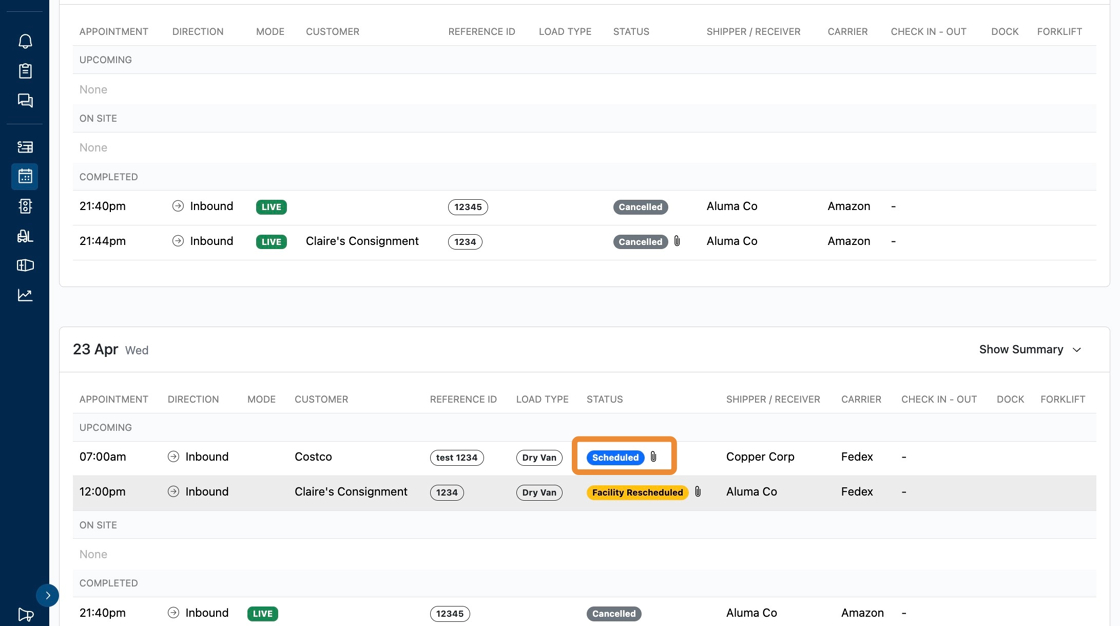


Change an Appointment Time before Confirming
If you want to change the appointment time or date, select a new time/date in the appointment details. This will send an email to the carrier asking them to confirm the new appointment time.


In your schedule, you will see a new status "Facility Rescheduled"

Once the carrier has approved the new time, the status will update to "scheduled".
Declining an Appointment Request
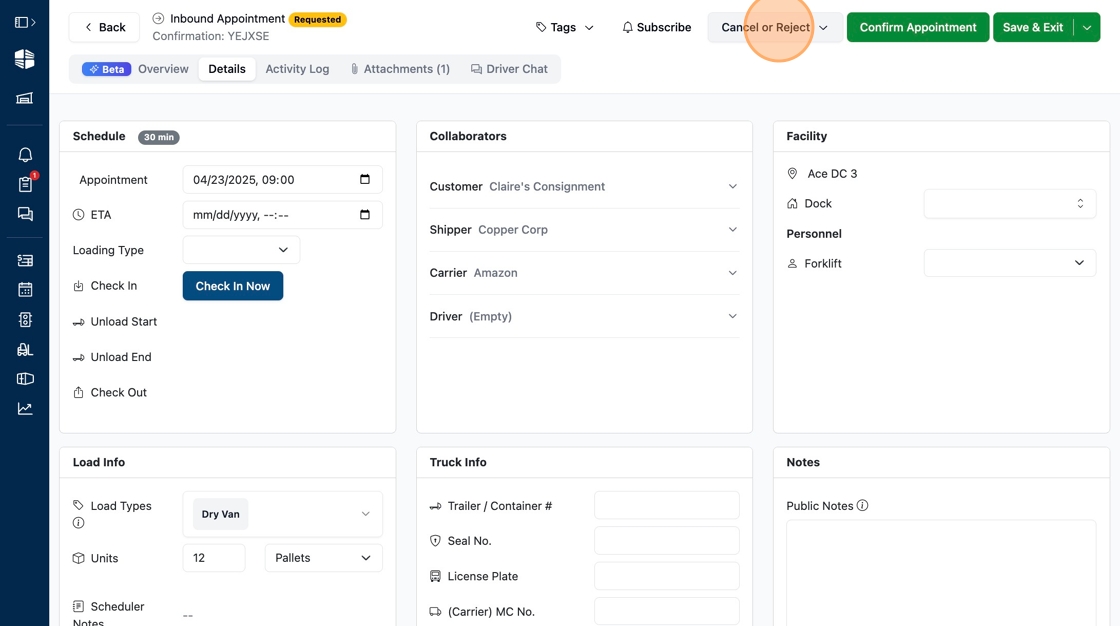
Click into a requested appointment.
Click "Cancel of Reject".
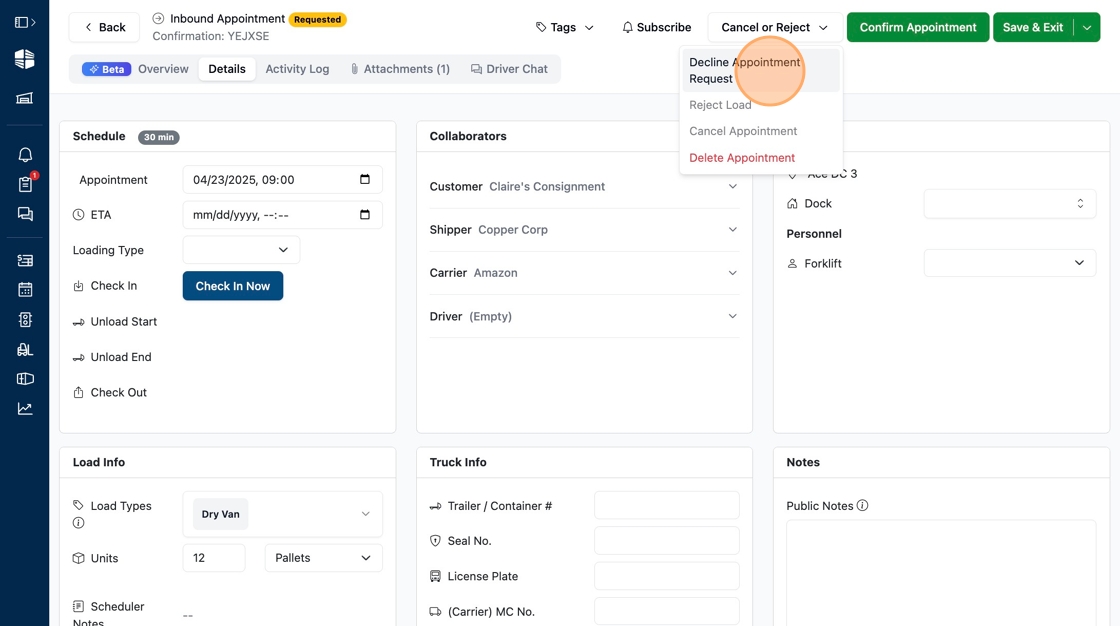
Select "Decline Appointment Request".
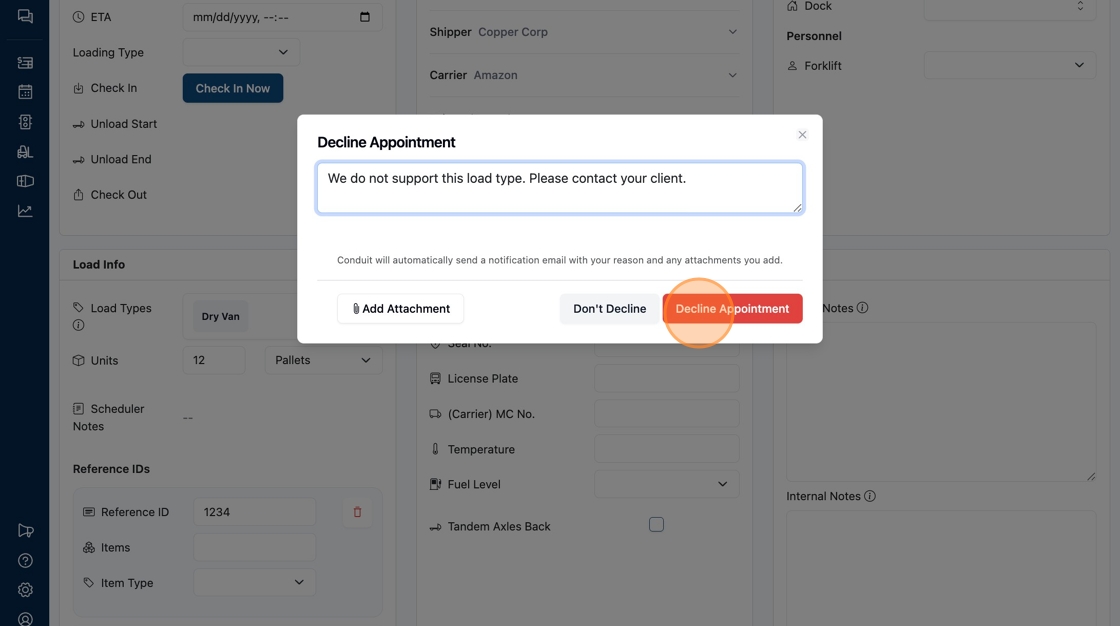
Enter information about why the appointment was declined into the text field. This information, and any attachments you upload, will be shared with all emails attached to the appointment request. Click "Decline Appointment".
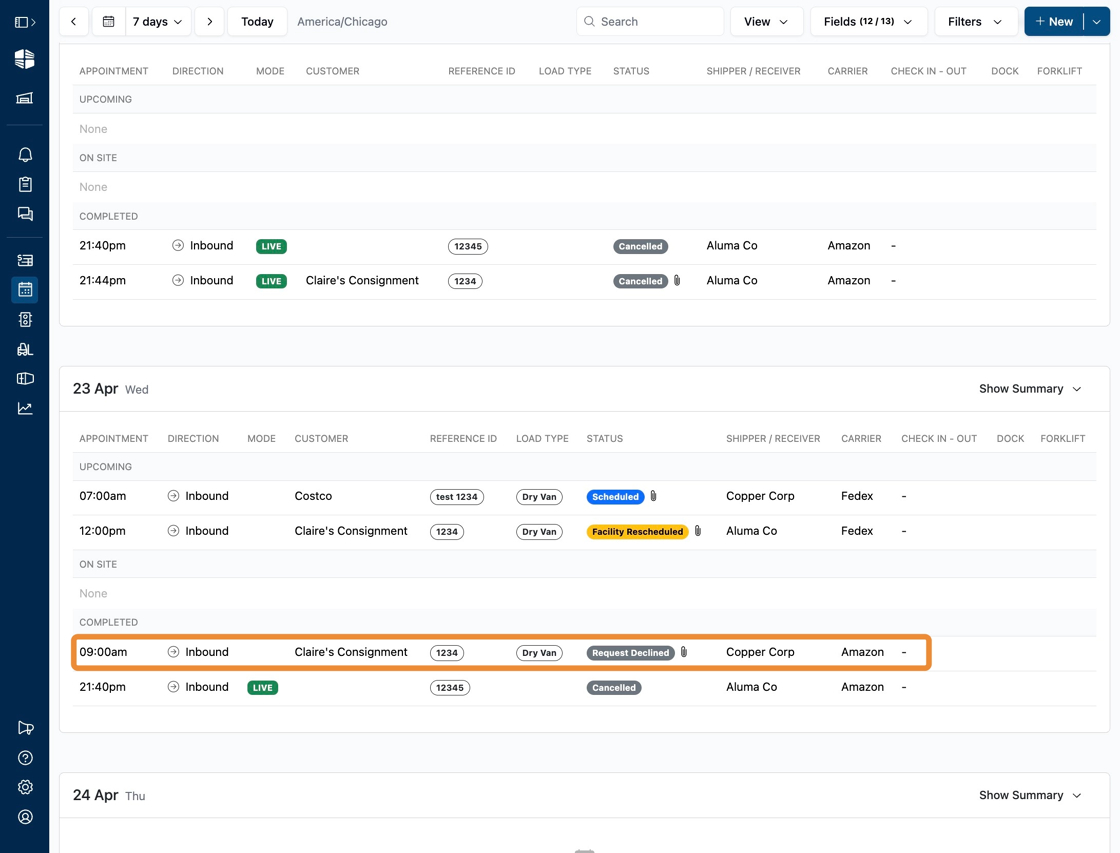
You're done! You will now see the declined appointment show up with the status "Request Declined".
Frequently Asked Questions
Do I get an email when an appointment is requested?
Yes. Appointment request emails are sent to the Receiving email (on inbound) and Shipping email (on outbound). These emails are configured in the facility Settings menu. For more details, read our Facility Settings page.
Is there a notification on my desktop when a request is made?
Our website will make a noise, and there will be a notification on the left side bar ion the Conduit website. We do not offer pop up notifications on your desktop at this time.
Can I see who approved an appointment after it is approved?
Yes. In each appointment, we track every action in the "Activity Log". You can see what user approved an appointment, and any other changes that were made to it. Please read Appointment Activity Log for more details.
Who receives emails when an appointment is confirmed, rescheduled, or declined?
The Carrier, Shipper/Receiver, and Customer will all receive emails when an appointment is requested, confirmed, rescheduled, or declined. This email will include the appointment details, any reasons provided, and a link to access any publicly shared documents. For more details, please read Automated Emails from Conduit