Duplicate Appointment
Last updated: November 21, 2025
In the Conduit app, you can duplicate a previously scheduled appointment.
Instructions
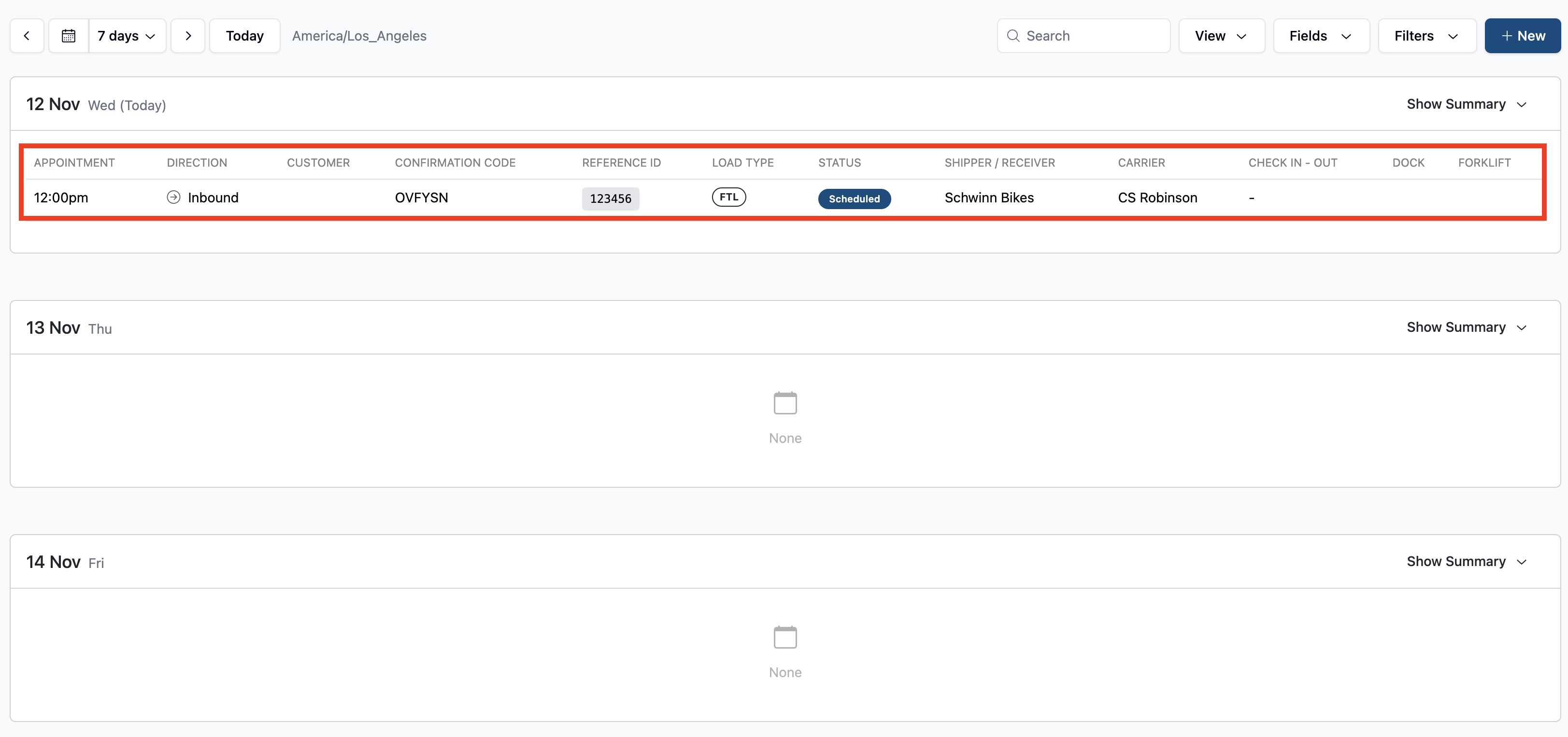
On the scheduling page, select the appointment you would like to duplicate.
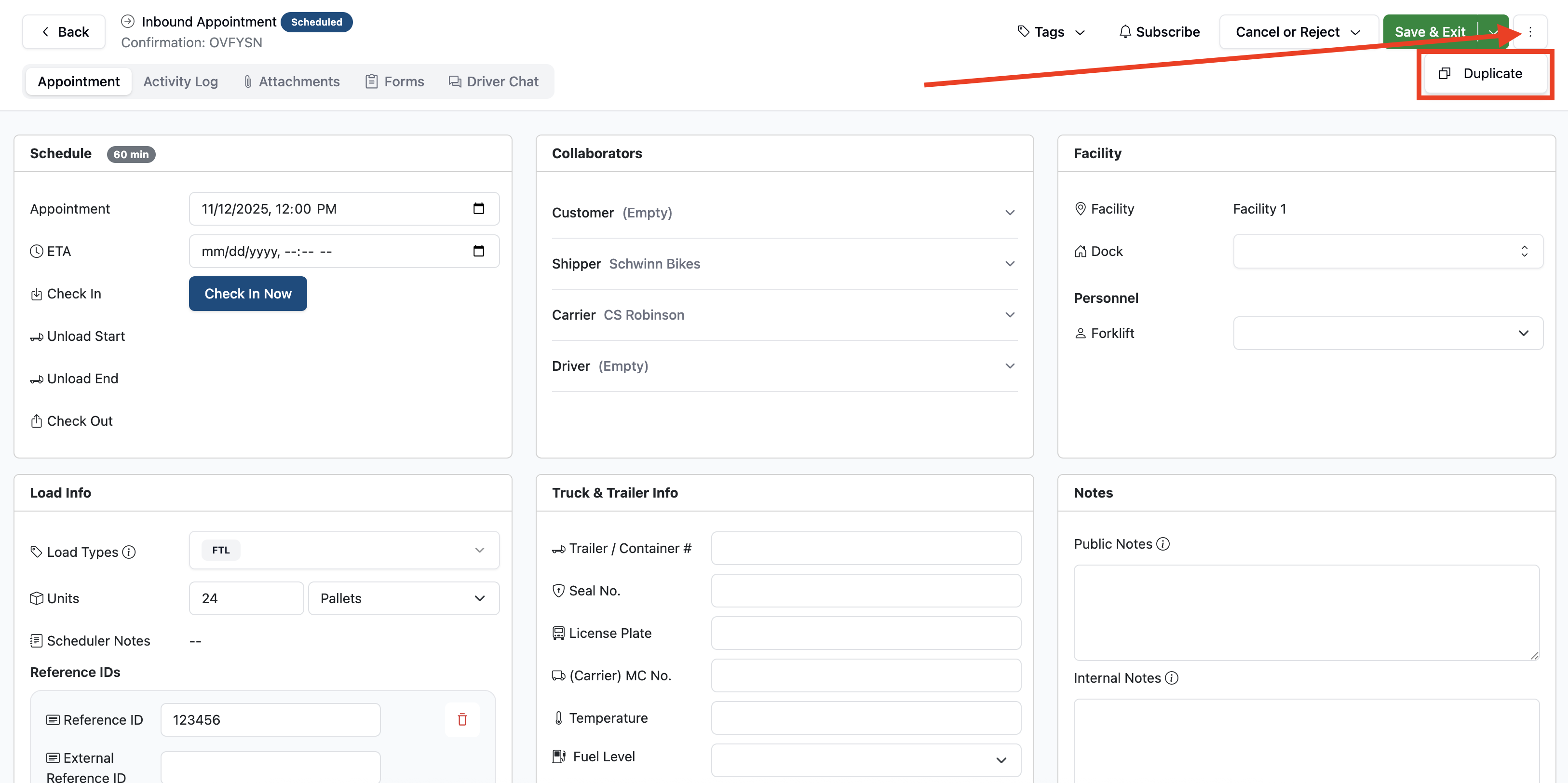
At the top right of the appointment screen, select the button with three vertical dots, and click the Duplicate button.
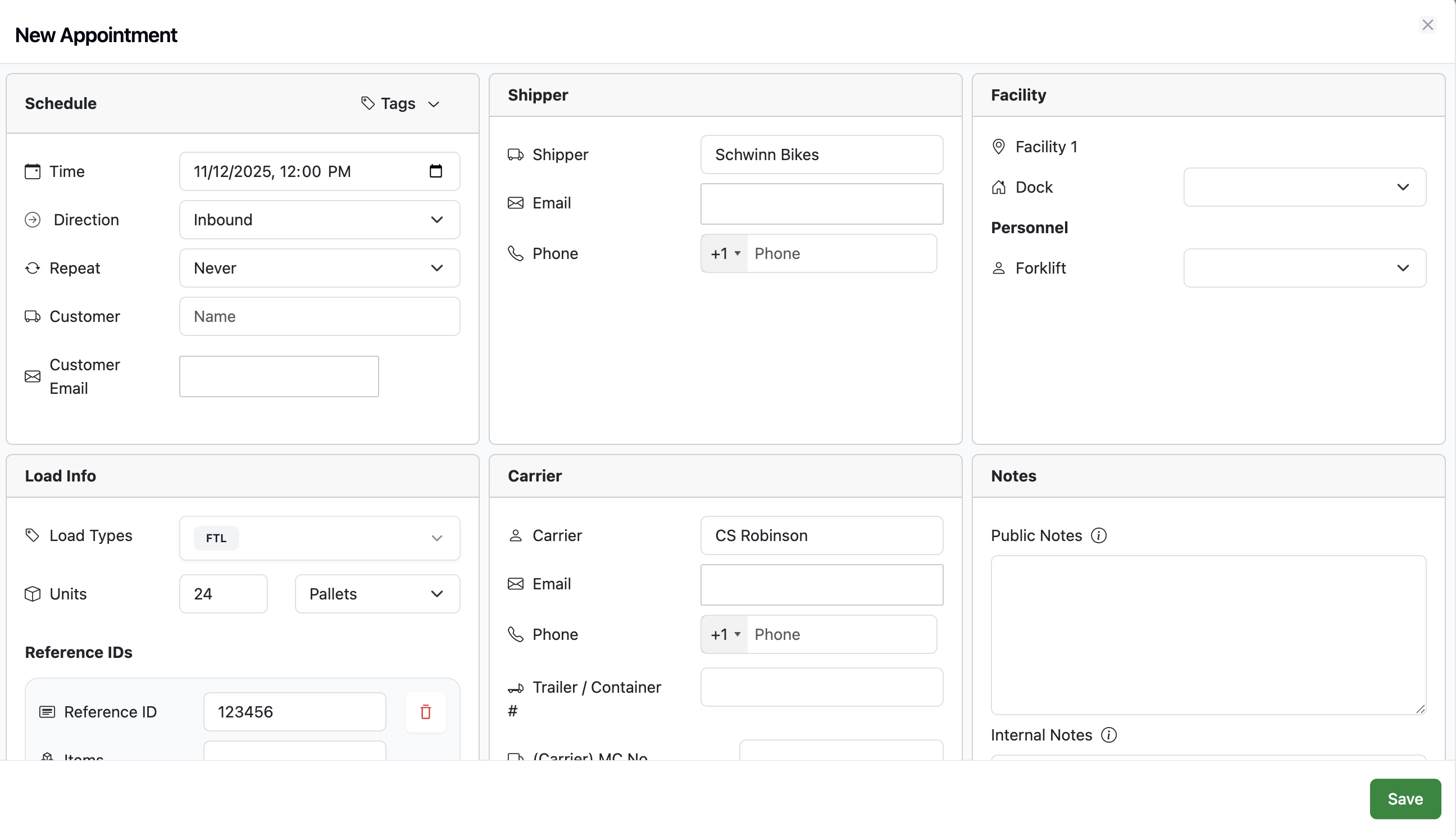
This will bring you to a new appointment page that has copied over information from the appointment being copied. Note that you can also change Direction in the field. When ready, hit the Save button to create your new, duplicate appointment.
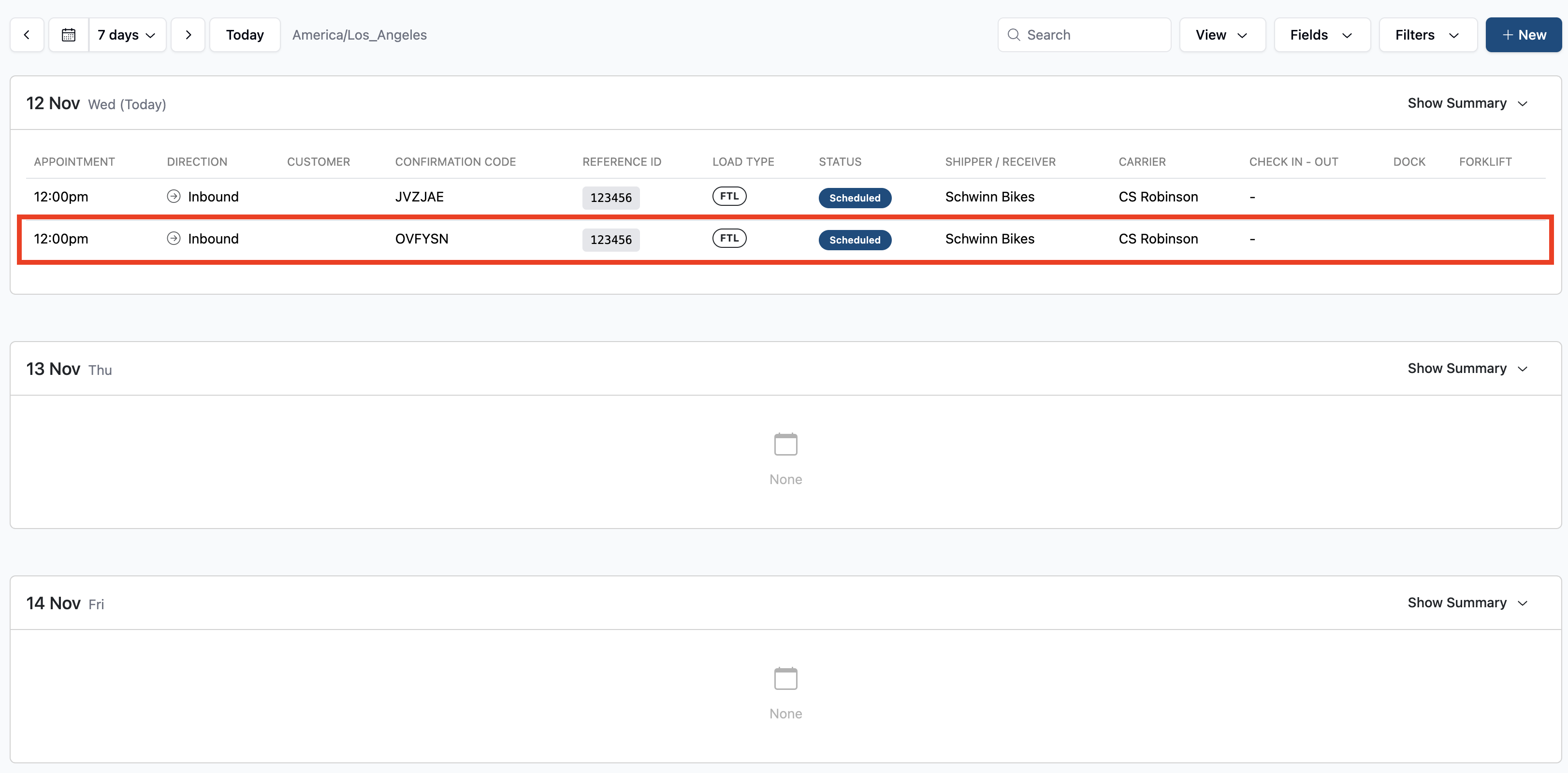
NOTE: When saved, the screen will revert to your first appointment. Return to the scheduling page to see you new, duplicate appointment.
Frequently Asked Questions
Can I duplicate as many appointments as I want?
Yes. You can continue to duplicate an appointment as many times as you'd like.
Can I duplicate cancelled appointments?
Yes. Cancelled appointments cannot be edited, but they can be duplicated.