Creating Carriers
Last updated: November 13, 2025
In Conduit yard view, you can filter by carriers that you have added to your system settings. This article will walk you through how to add carriers and where you can filter for them in the yard section of each facility
Instructions
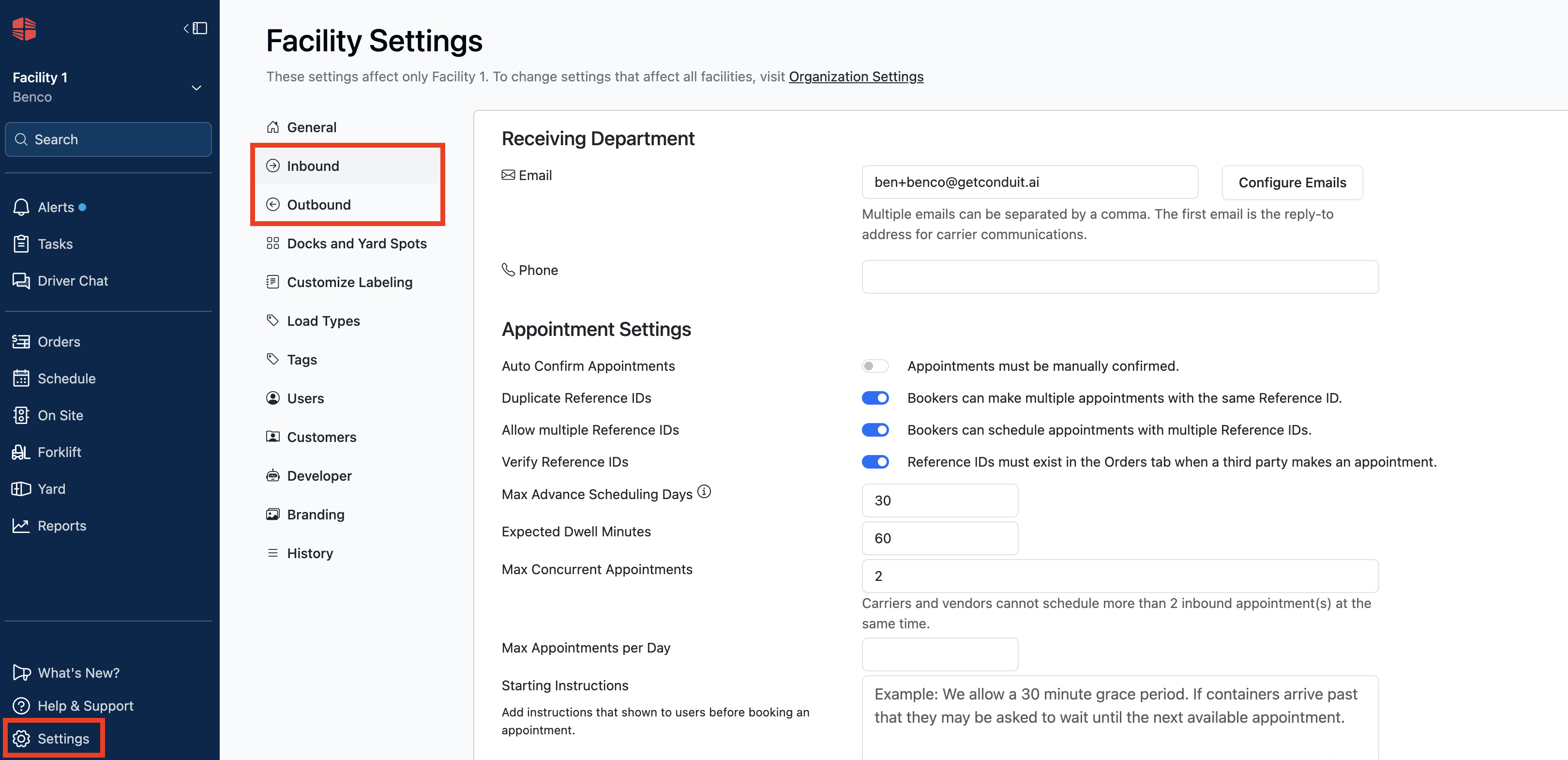
To create carriers, navigate to the facility settings, clicking wither the Inbound or Outbound setting.
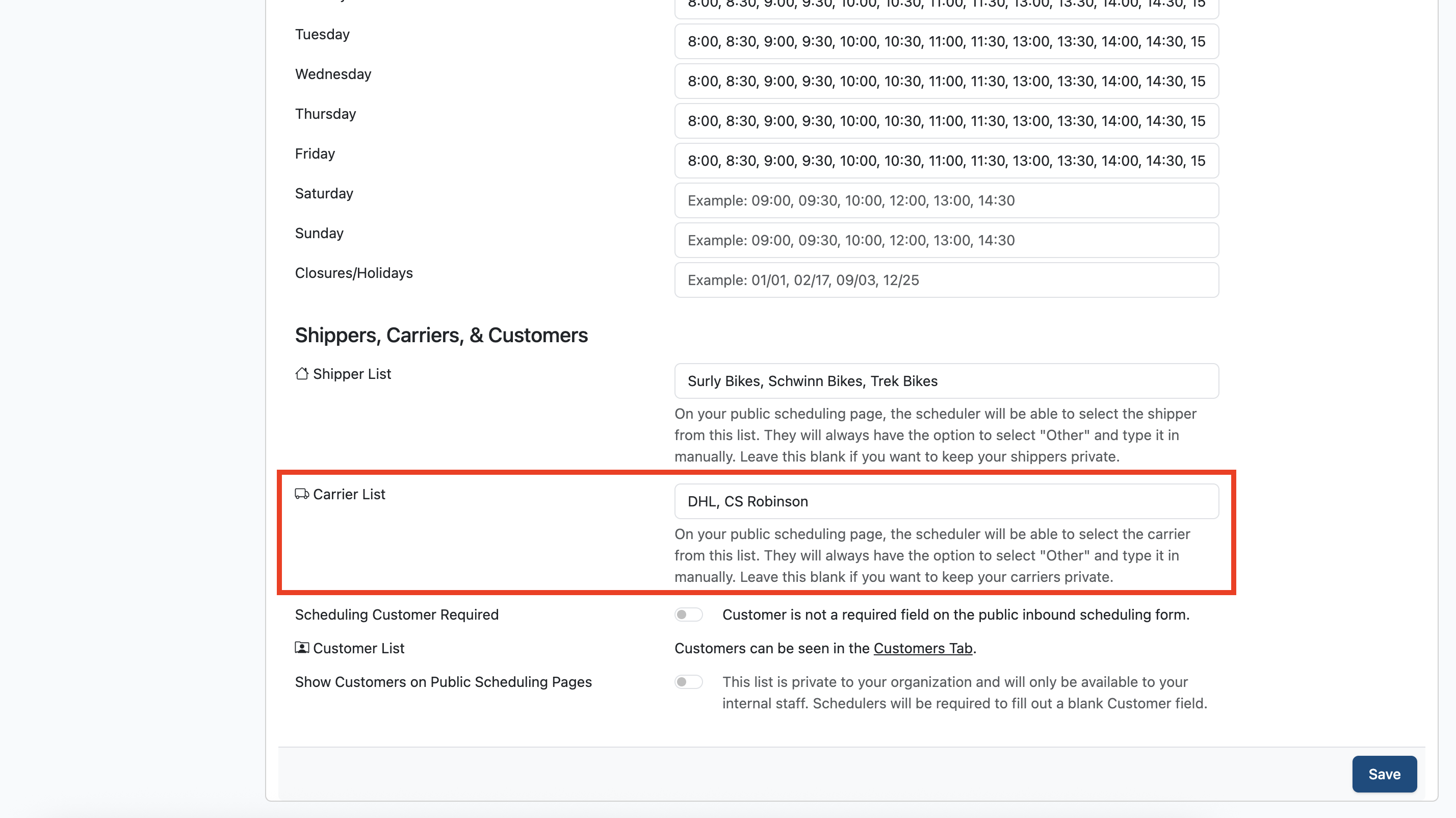
Scroll to the bottom of either setting, find the Carriers field, and enter in as many Carriers as you would like.
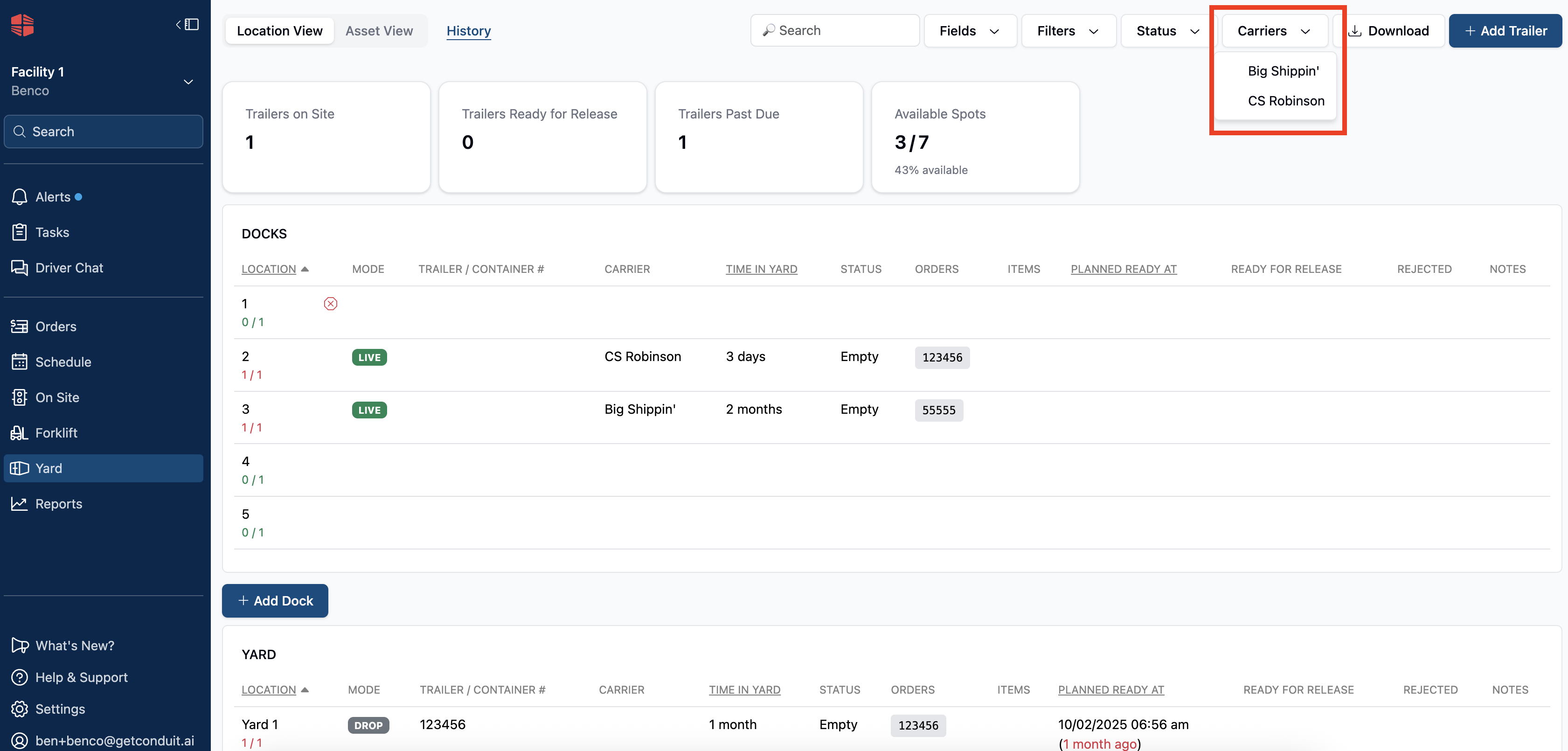
Once entered, these will be available as filters one any assets are entered into a dock or yard space in the yard section of your account.
Frequently Asked Questions
Why don't my carriers show up on the carrier drop down?
The carrier must have an asset onsite and in either a dock or yard space in order to populate on the dropdown.
Can I enter as many carriers as I want?
Yes. There is no limit to how many carriers you can enter.