Map View
Last updated: November 21, 2025
In Conduit yard, you have the ability to build a map of your yard and dock spaces on an interactive Google based map. In order to build your yard map, you will need yard and dock spaces created in your system (refer to https://help.getconduit.ai/articles/5776157046-creating-yard-spaces for help on creating yard spaces). Yard Maps are a paid feature of Conduit. Please reach out to either your sales contact or support@getconduit.ai to talk about getting this feature enabled.
Instructions
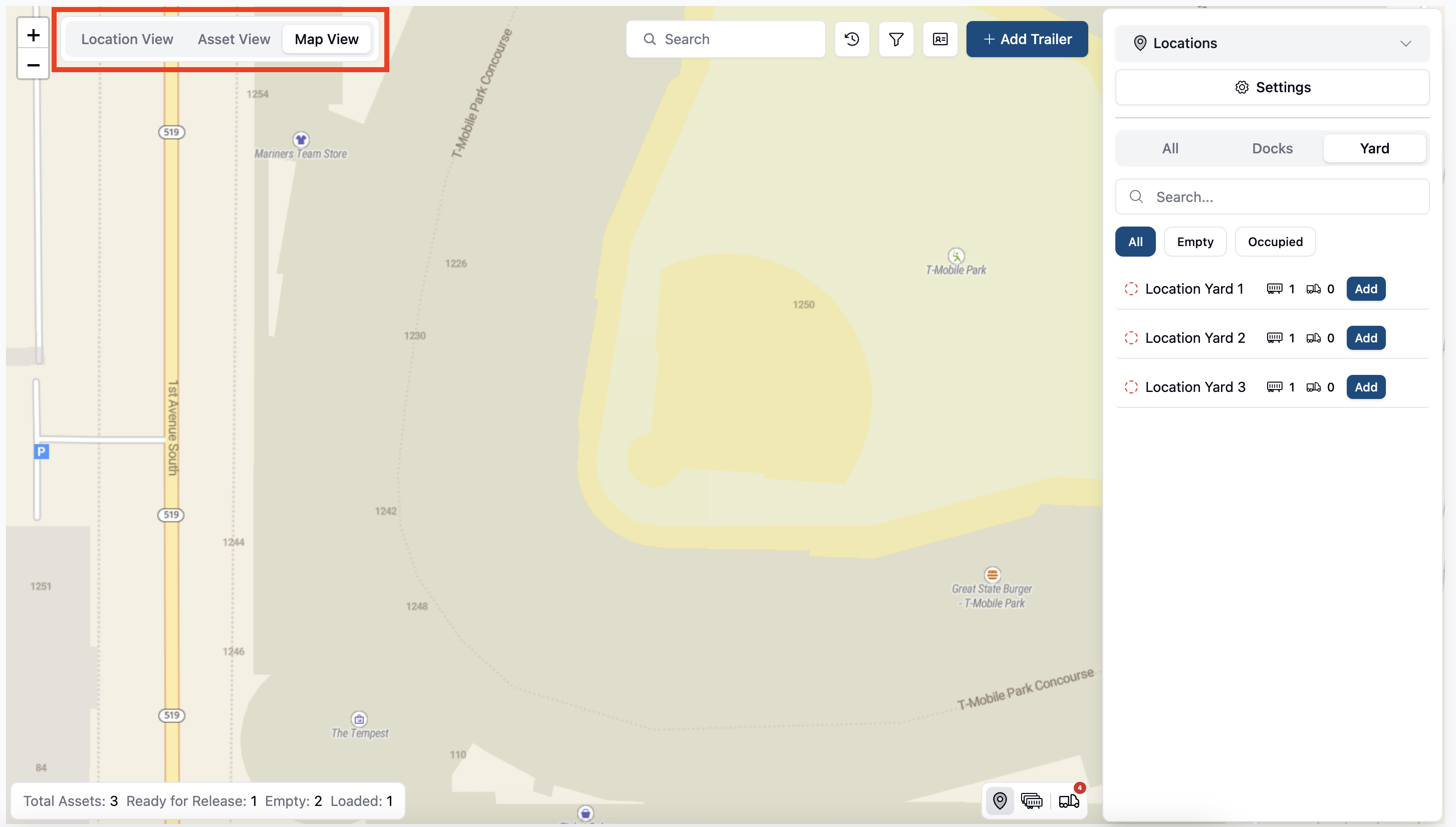
On the yard page of your account, select Map View at the top left of the screen. Once toggled, you should see Google Maps view of your yard. Note: Yard Maps must be enabled in order for this view to be selectable
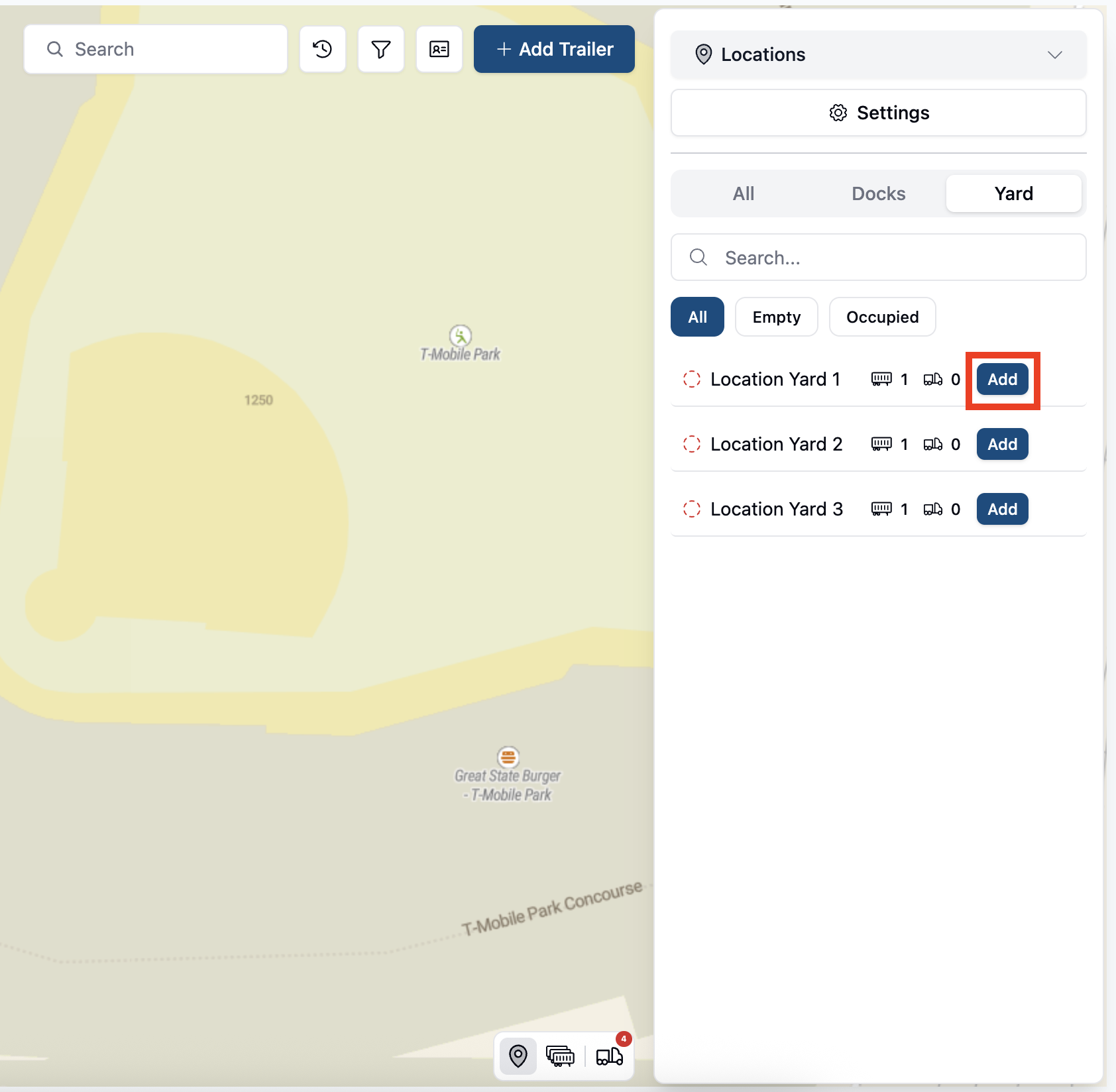
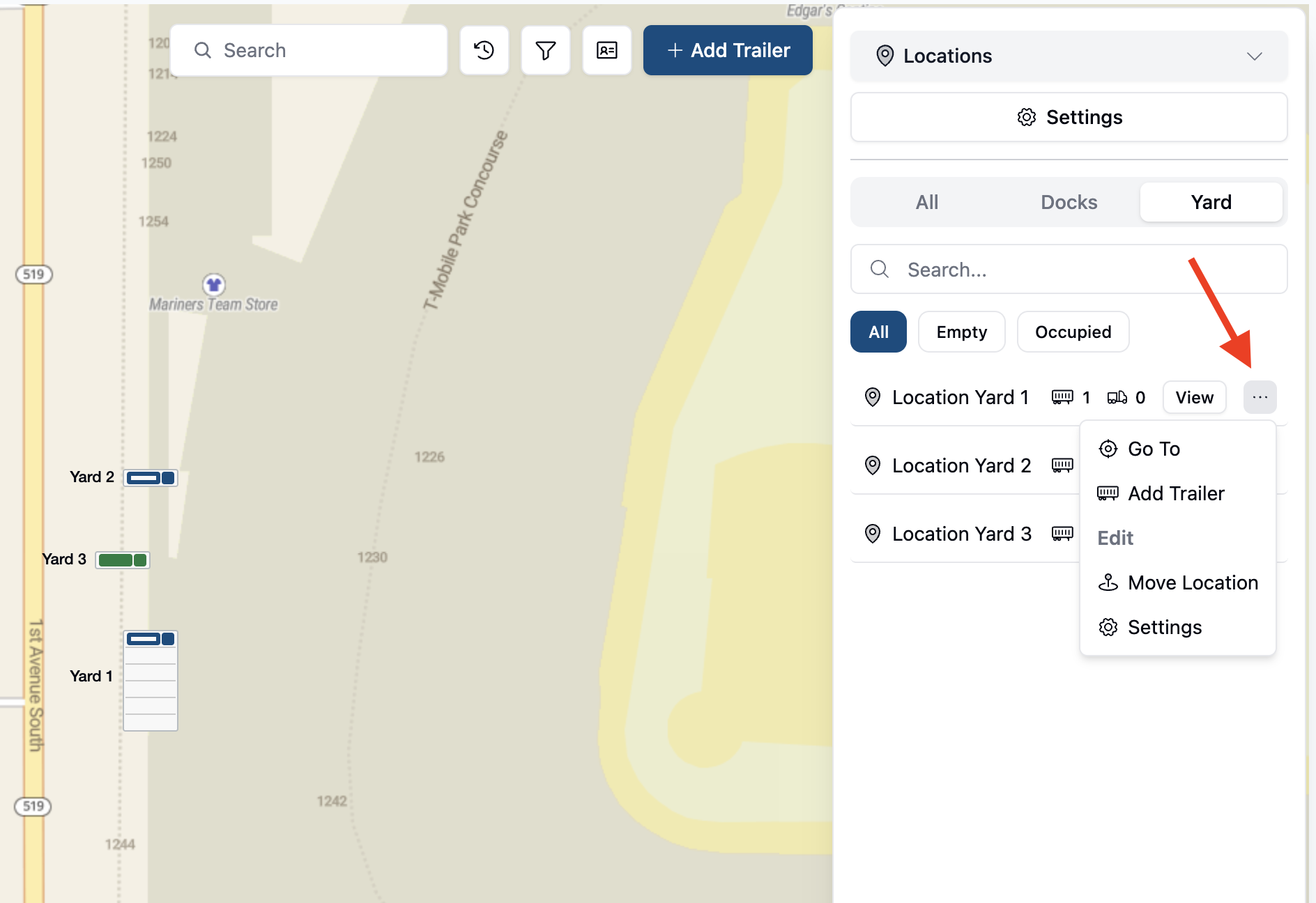
On the ride side of the page, you should see a list view of all docks and yards that you have entered into your system. You can see all, or select by dock or yard separately. Click the blue Add button to begin the process of adding this location to your map.
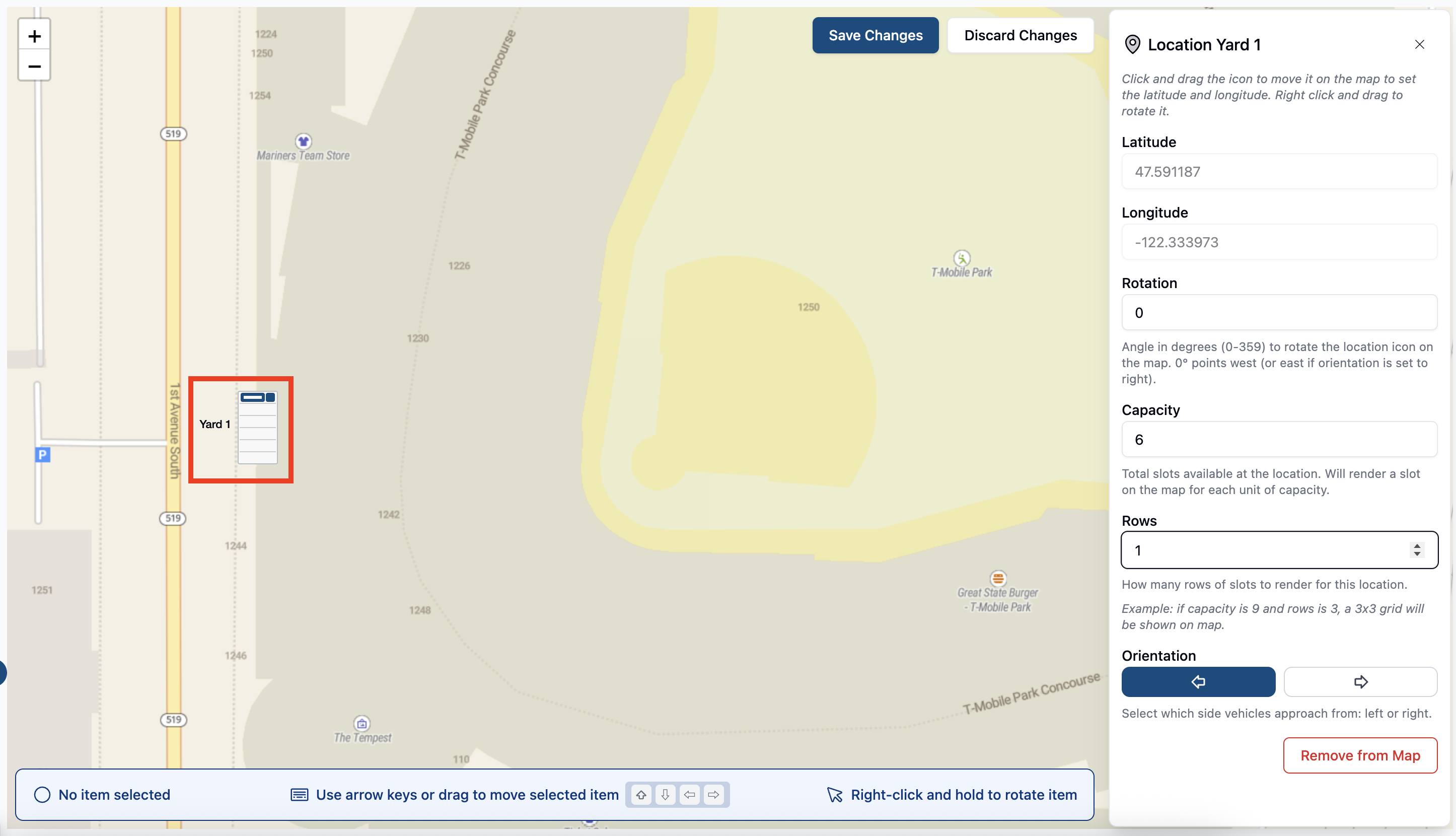
Once selected, you will be prompted to click a spot on the map to add your yard location. Once added, you will also be able to change settings aspects of your location with the settings bar on the right of the screen to make sure it aligns with your yard space, capacity, and orientation. Once you hit save, it will be added to your map. Continue this process until you have built your yard map.
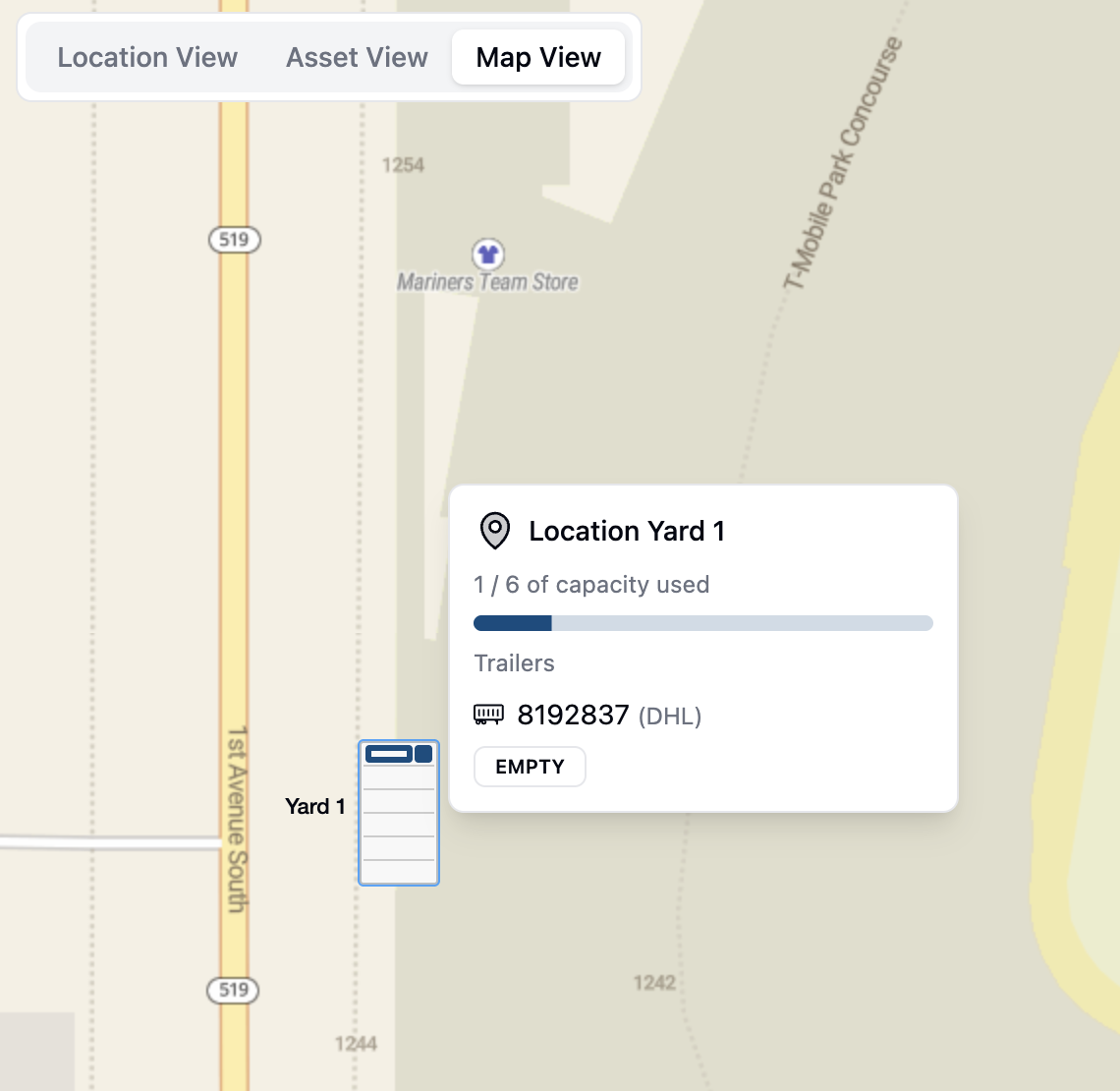
Once added to the map, you'll be able to click on that location to see trailers and appointments that are in that location.
Clicking the three dots on the side of each location will also give you options to add trailers to that location, change the settings of the location, or move/delete it.
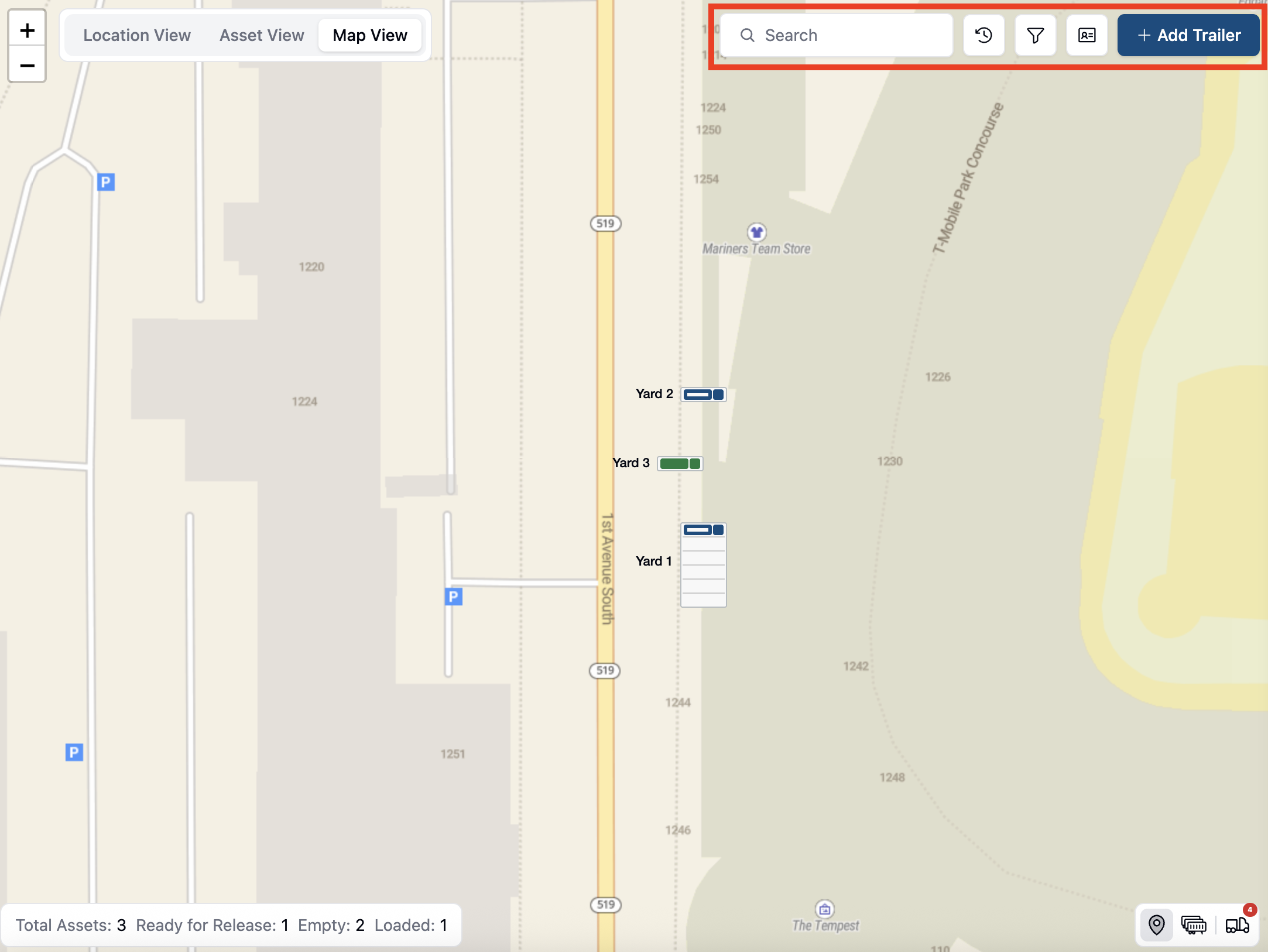
At the top of the screen, you can search for trailers, refresh the page, use filters, filter by carrier, and add trailers to your yard.
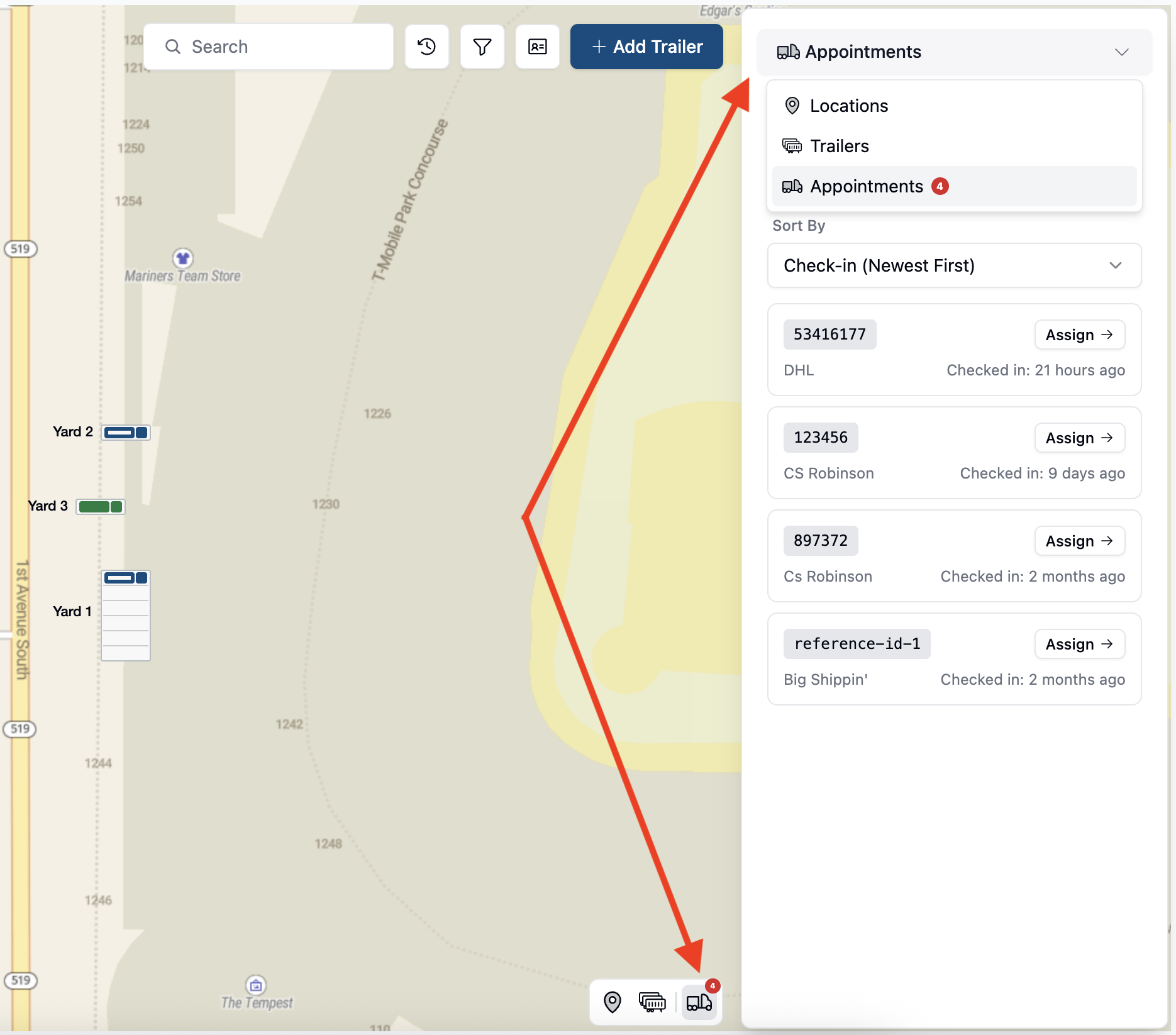
On the bottom right of the screen, and also at the top right, you can toggle to appointments that are waiting to be assigned. Clicking Assign on one of these appointments will bring you to the appointment details page where you can assign a dock or yard space to that appointment.
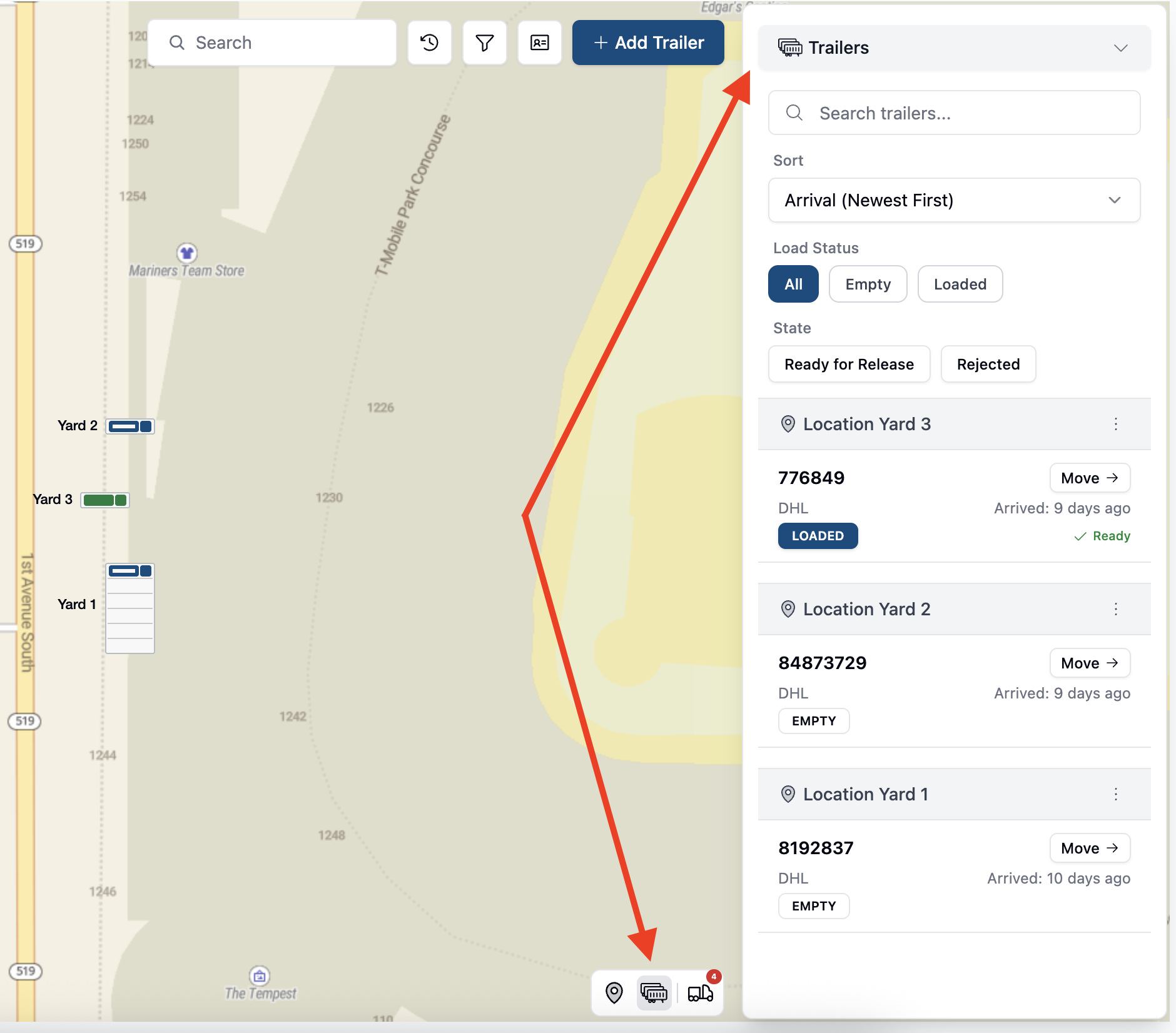
The trailer button and dropdown tab will give you detailed information about the trailers in each yard spot.
Why can't I see Map View in the Yard screen?
If you have purchased the yard map feature and do not see it, please reach out to support@getconduit.ai and we'll assist as soon as possible.
Why does my map show the wrong location?
The location of your map is configured by Conduit. If it's centered on the wrong area, please reach out to us and let us know so we can correct it in our system.