Roles and Permissions
Last updated: January 8, 2026
A user’s role determines their level of permissions (i.e. what they can and cannot do).
Only Admins can change, add, or users. See Adding New Users.
Types of roles
Organization roles
Admin
Member (default)
Facility roles
Admin
Editor
Viewer
None (default)
All users will be associated with both an Organization & a Facility. Some users may be associated with multiple facilities. For more information about organizations & facilities, see our article Organizations and Facilities.
Permissions
Organization Permissions
Action | Member | Admin | Conduit Support |
Add and delete users | ✔ | ✔ | |
Create new facilities | ✔ | ||
Change roles for users | ✔ | ✔ | |
Assign facilities to users | ✔ | ✔ | |
Access assigned facilities | ✔ | ✔ | ✔ |
Facility Permissions
Action | None | Viewer | Editor | Admin |
View, search, and download | ✔ | ✔ | ✔ | |
Upload Orders | ✔ | ✔ | ||
Send driver messages | ✔ | ✔ | ||
Add, edit, delete appointments | ✔ | ✔ | ||
Edit facility settings | ✔ | |||
Add and delete users from that facility | ✔ |
Frequently Asked Questions
If I need to change something, but I'm not an Admin then what should I do?
If you do not have permission to change something, but you need to get a hold of your admin, you can navigate to the users list to see who is an admin for your account.
How can I create or delete users?
Only Admins can create or delete users. Please reference adding Organization and Facility users.
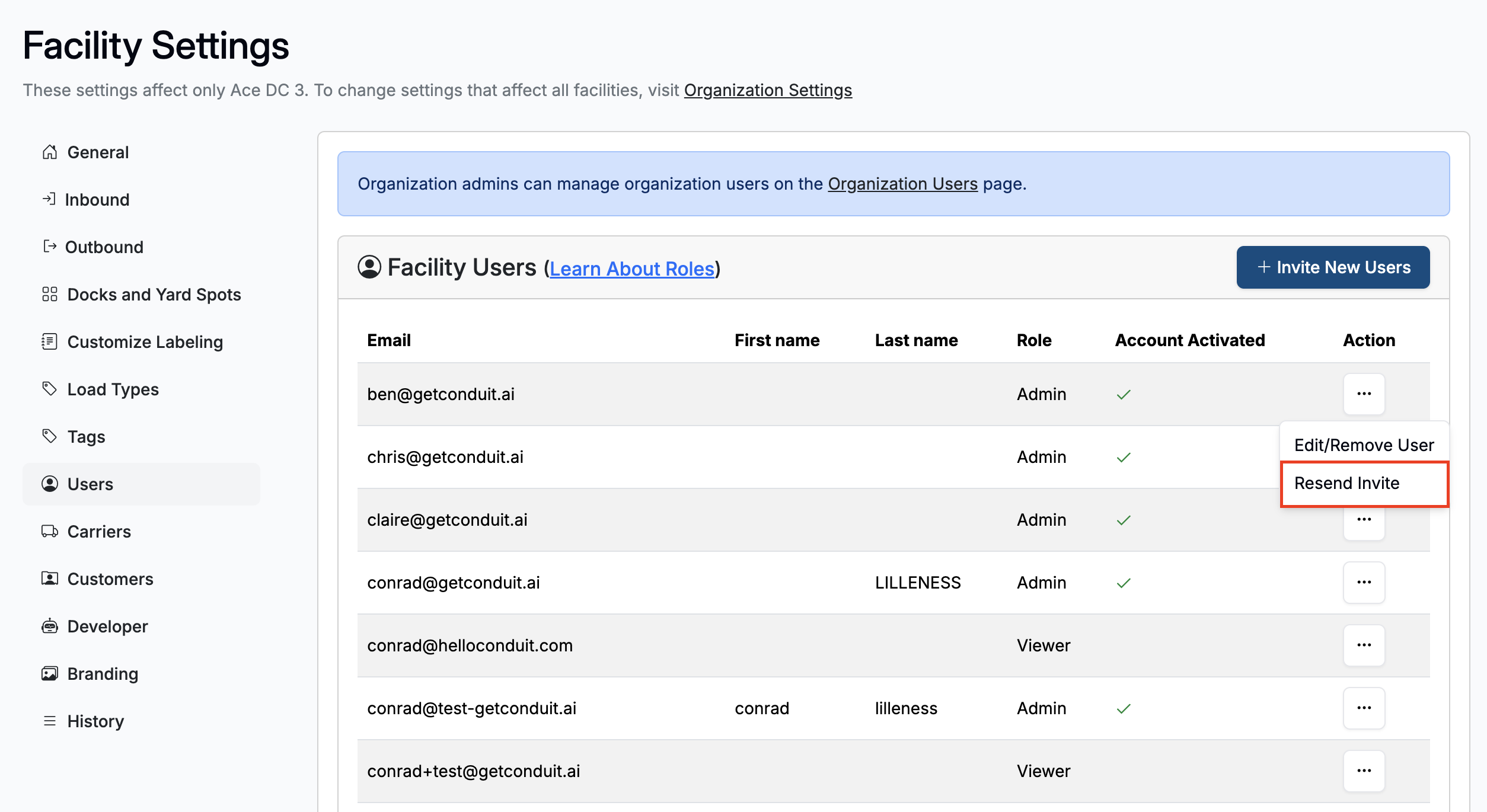
I added a user, but they never received an invite. How do I resend the invitation?
First, have them check their spam folder.
If the email is not in their spam folder, have them got to getconduit.ai, and select "Forgot Password" to re-trigger an email.
Admins can also use the "Resend Invite" action in the action tab of the user page in settings
If none of the above work, please send email to support@getconduit.ai for additional support.