Editing Load Types
Last updated: November 12, 2025
With Conduit admin access, you have the ability to edit Load Types that have been added to your facility.
Instructions
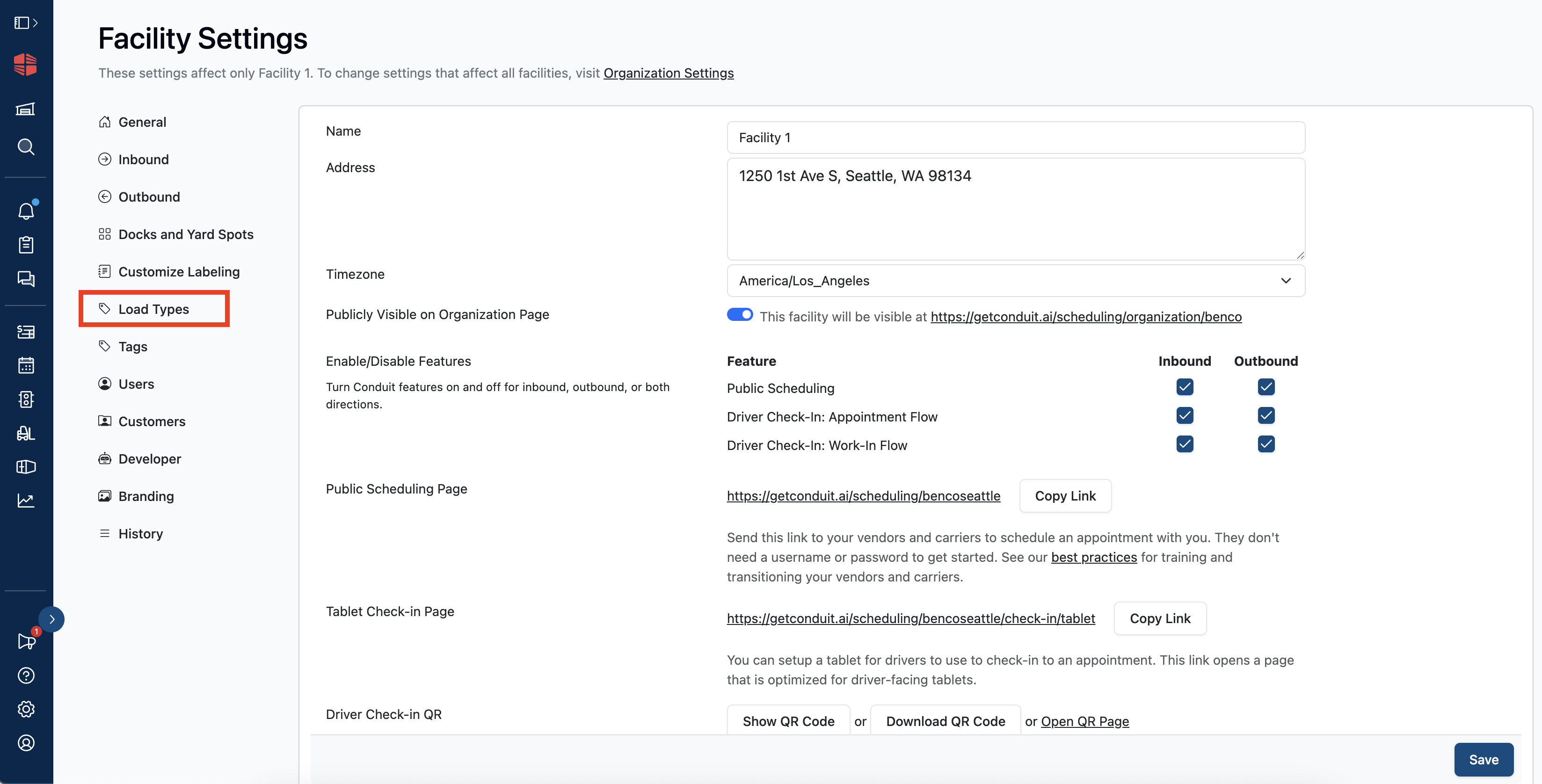
Navigate to and select the Load Types tab located in Facility Settings.
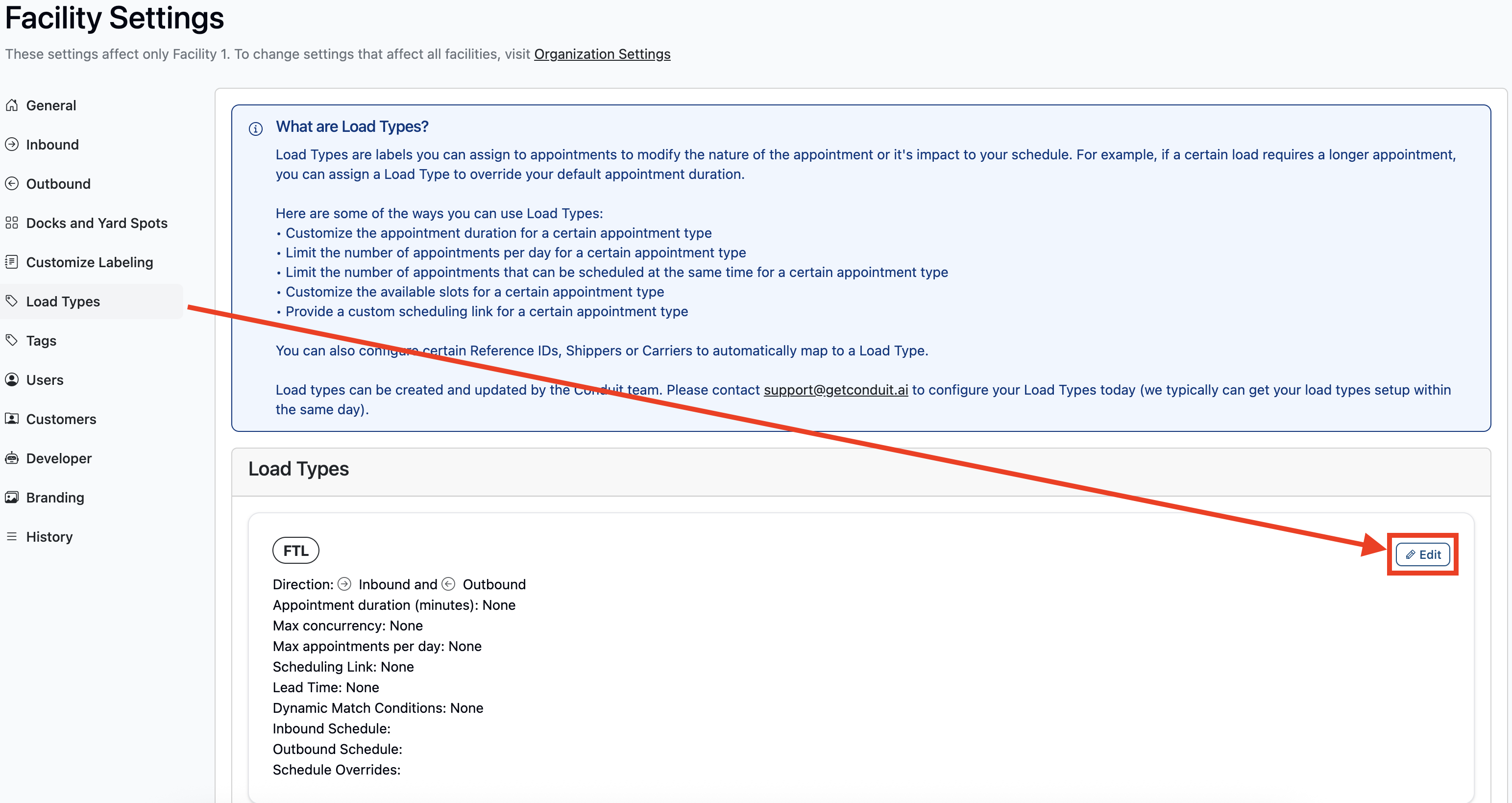
Navigate to the Load Type you would like to edit, and clock the Edit button at the top right of the load type box.
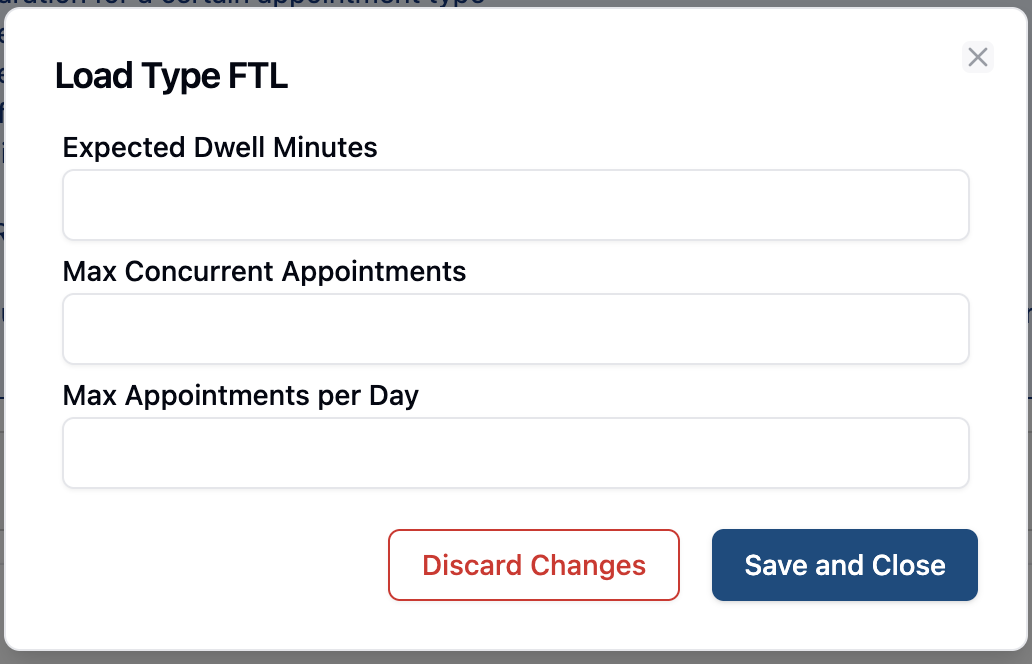
Enter in any changes you would like and hit the save button. These changes will be updated immediately.
Frequently Asked Questions
Can I edit more than just the provided three fields?
For edits outside of what is shown here, please reach out to our support team at support@getconduit.ai
Who can make these edits?
Anyone with "Admin" access to a facility. For documentation on how to add a new user, read Adding & Removing New Users.
What if I want to add a load type?
For adding or further load type edits, please reach out to our support team at support@getconduit.ai