Reporting
Last updated: July 28, 2026
Under the reporting tool in Conduit, you can find many details about the performance of your warehouse, as well as information about appointments, and general data for you to use for anaysis
Instructions
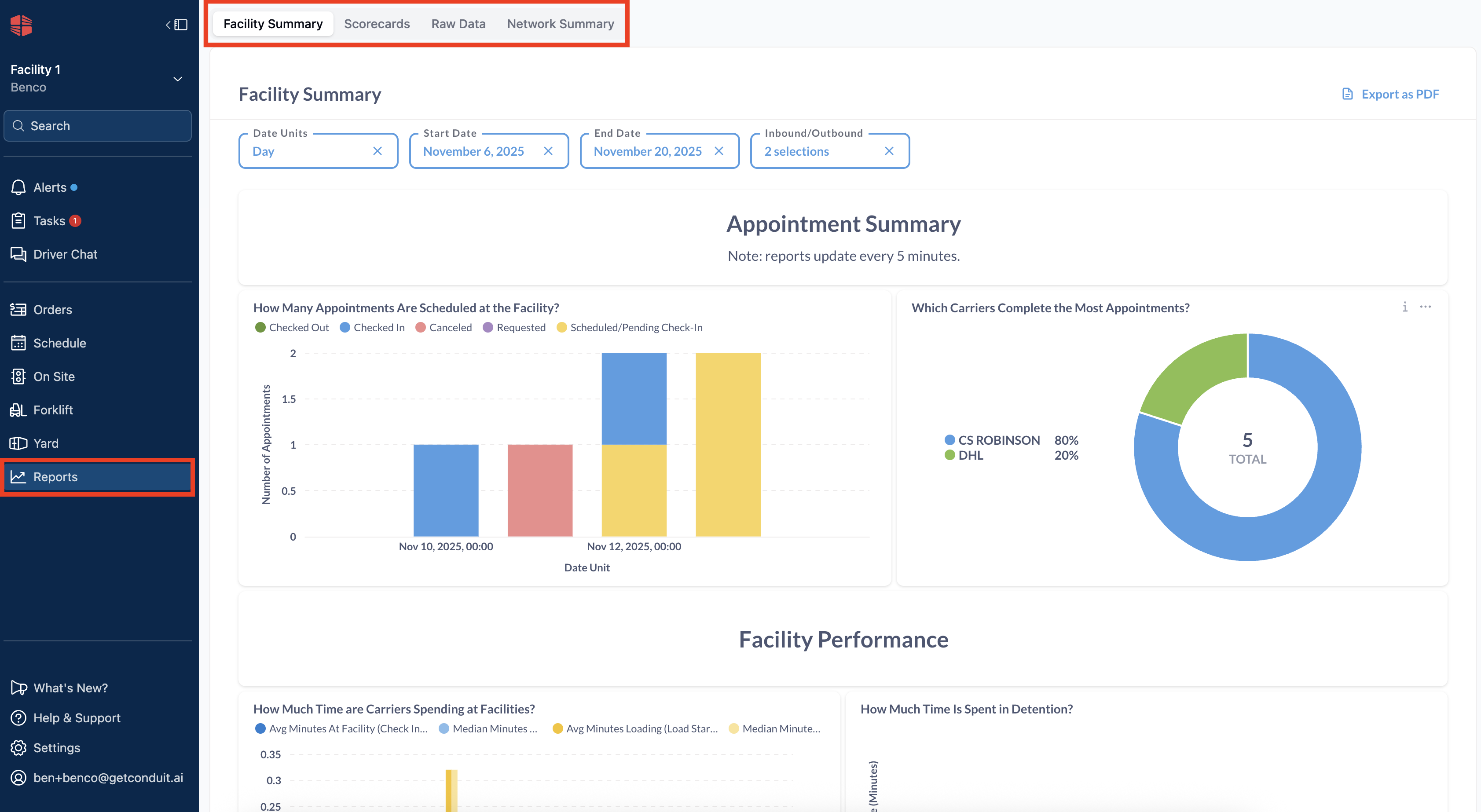
Navigate to the reporting system. At the top left of the screen, you'll have an option to select Facility Summary, Scorecards, Raw Data, and Network Summary.
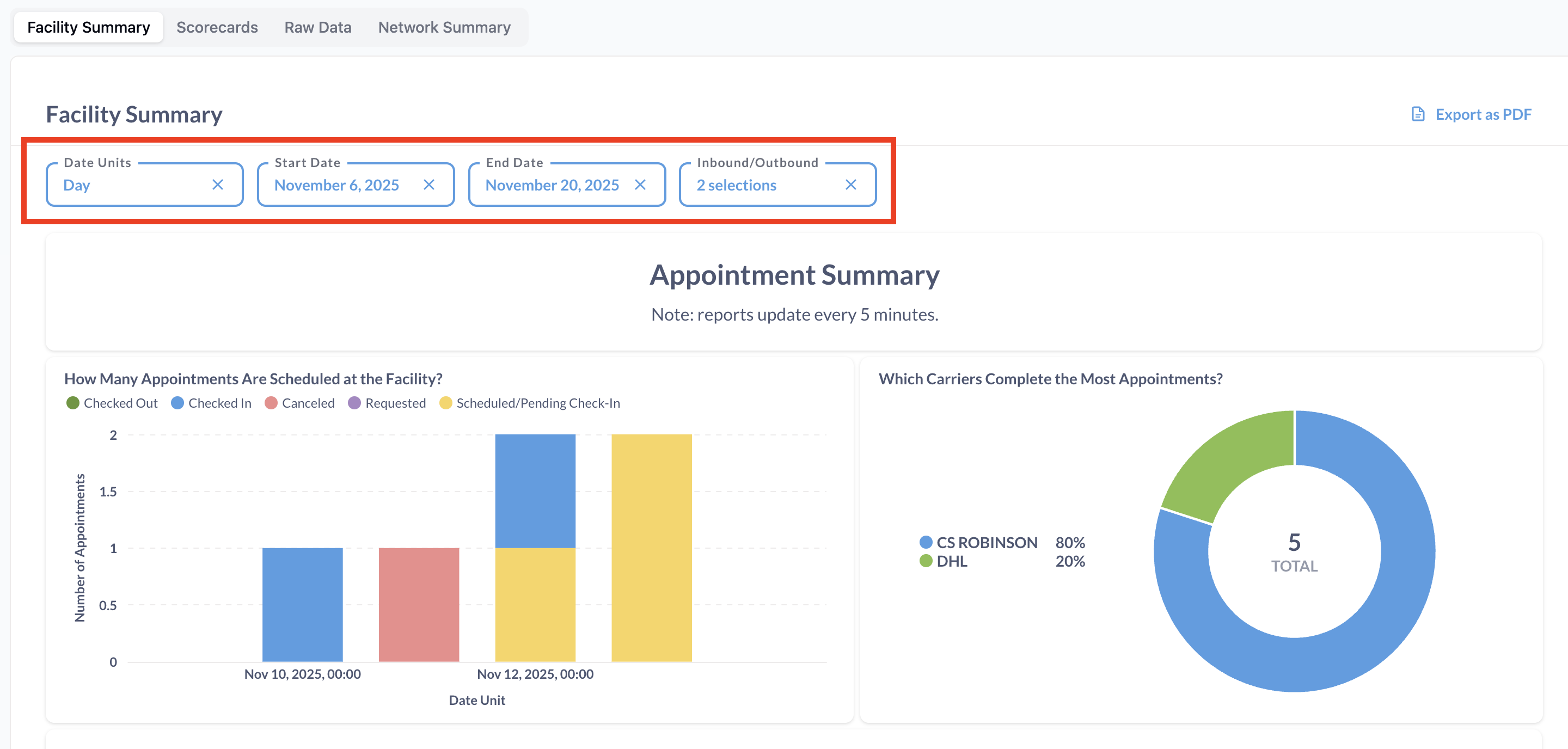
Facility Summary
The Facility Summary page will give you a summary of your facilities performance using the filter parameters that you set at the top of the screen. Some of the more important information here involves carrier performance, as well as the performance of your facility according to the time stamps in your appointments against you facility settings.
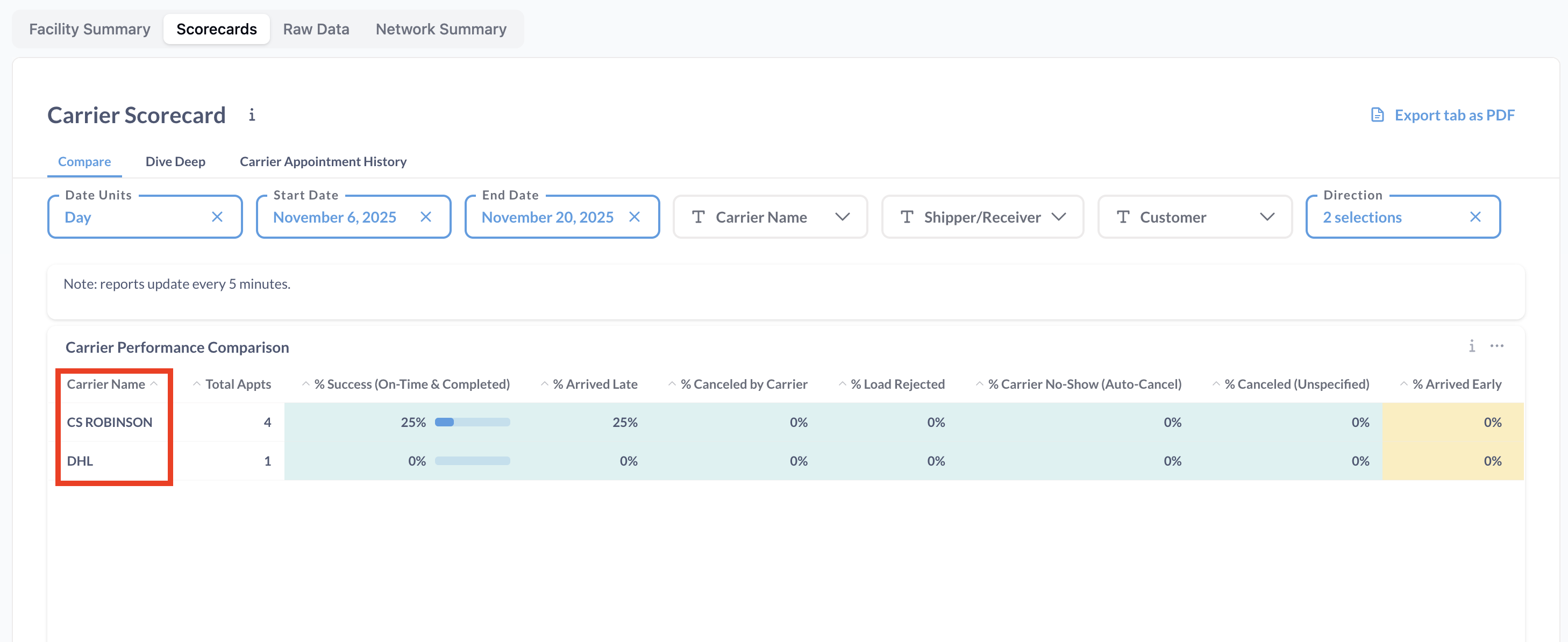
Carrier Scorecards
Carrier Scorecards are a quick and useful way to see the performance of your carriers, especially to see if they show up at a reliable time. Like other reports, you can filter by carrier to give a more detailed view. An important note is that if a carrier name is misspelled, it will show up as a separate carrier in reporting. To avoid this, we recommend setting up frequent carriers as a dropdown in facility setting. This can also be fixed by correcting the spelling error in appointment details.
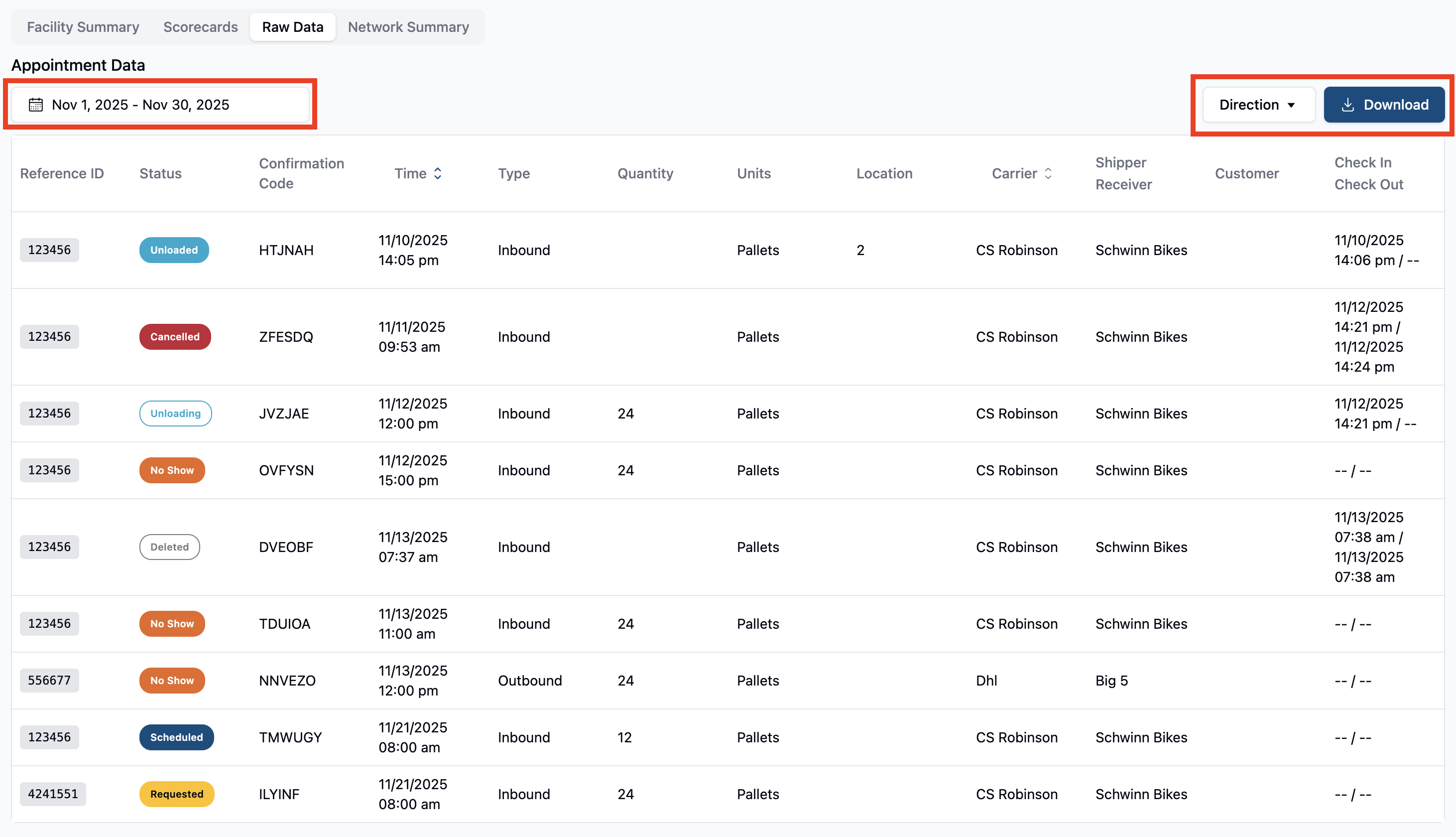
Raw Data Exports
In the raw data tab, you can download an overview of all appointments that have been created at your facility. Important here is making sure to use filters to see more/fewer appointments by date, see only inbounds/outbounds/both, or download the information in CSV format. Note: Other tabs of the reporting page can be downloaded in pdf.
Note: Selecting a single day in the Appointment Data will filter results for that individual day rather than an entire date range.
Network Summary
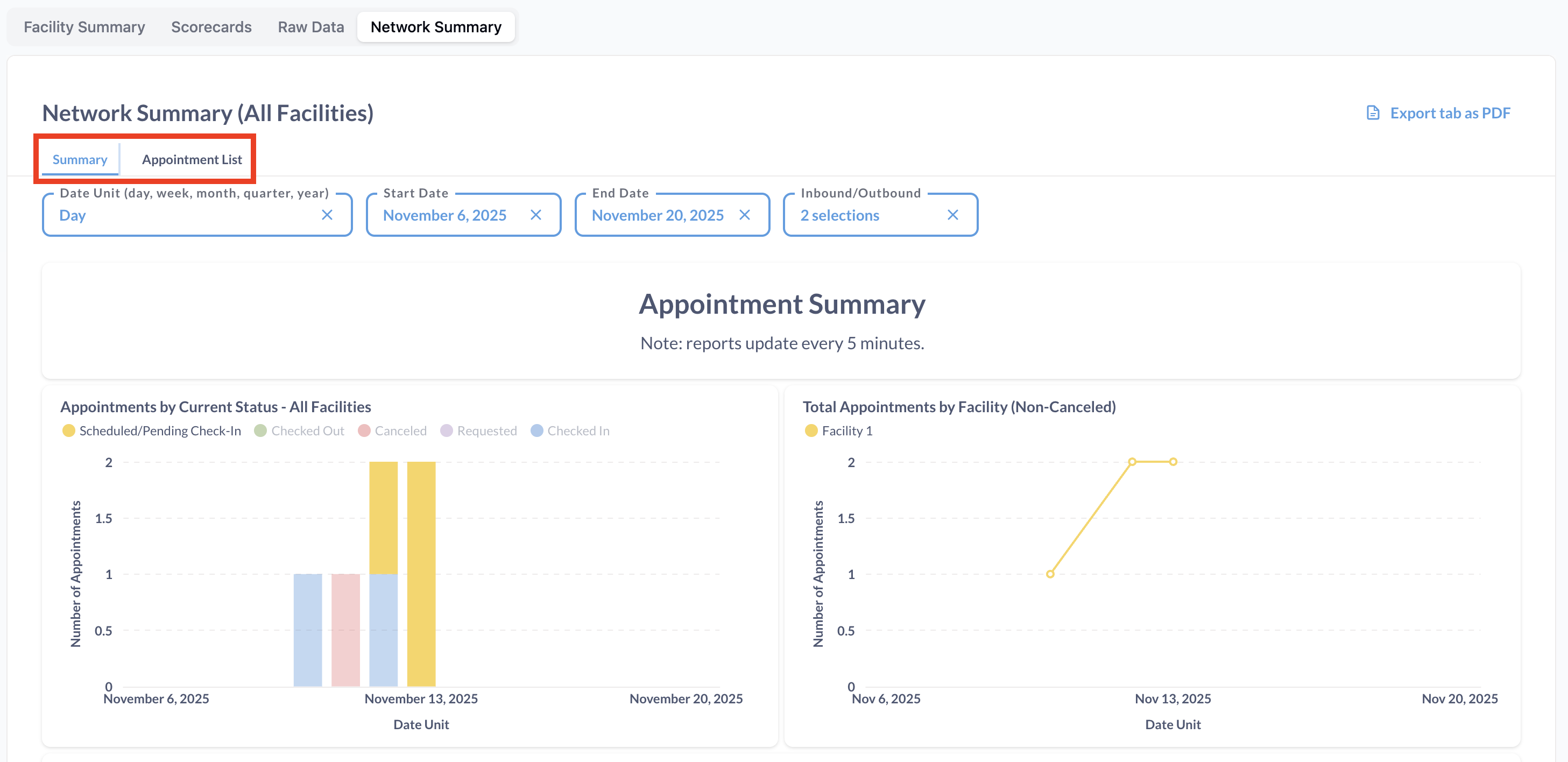
Network Summary will give you a wholistic view of all facilities in your network/organization. As many facilities as use have viewing access to, you will be able to see here. Note that you will be able to see both a data summary, and appointment summary for this view by toggling either Summary or Appointment List.
Custom Reporting
Not seeing the information you're looking for on your reports? If not, then please reach out to support@getcondui.ai and we'll see what we can do to help!
Frequently Asked Questions
Can I download reports in formats other than pdf and CSV?
No, our data downloads are only available in those two format types.
How far back can I see my reports?
As far back as you'd like! Appointment Data defaults to the current month, so if you'd like to see more data, simply set the start date to earlier.