Change History and Audit Logs
Last updated: November 20, 2025
In the Conduit facility view, you can track history of changes and audits both in individual appointments, and also for your facility setting. These are both useful to track which user has made changes to your facility settings, or to see any changes made to an individual appointment.
Appointment Change History
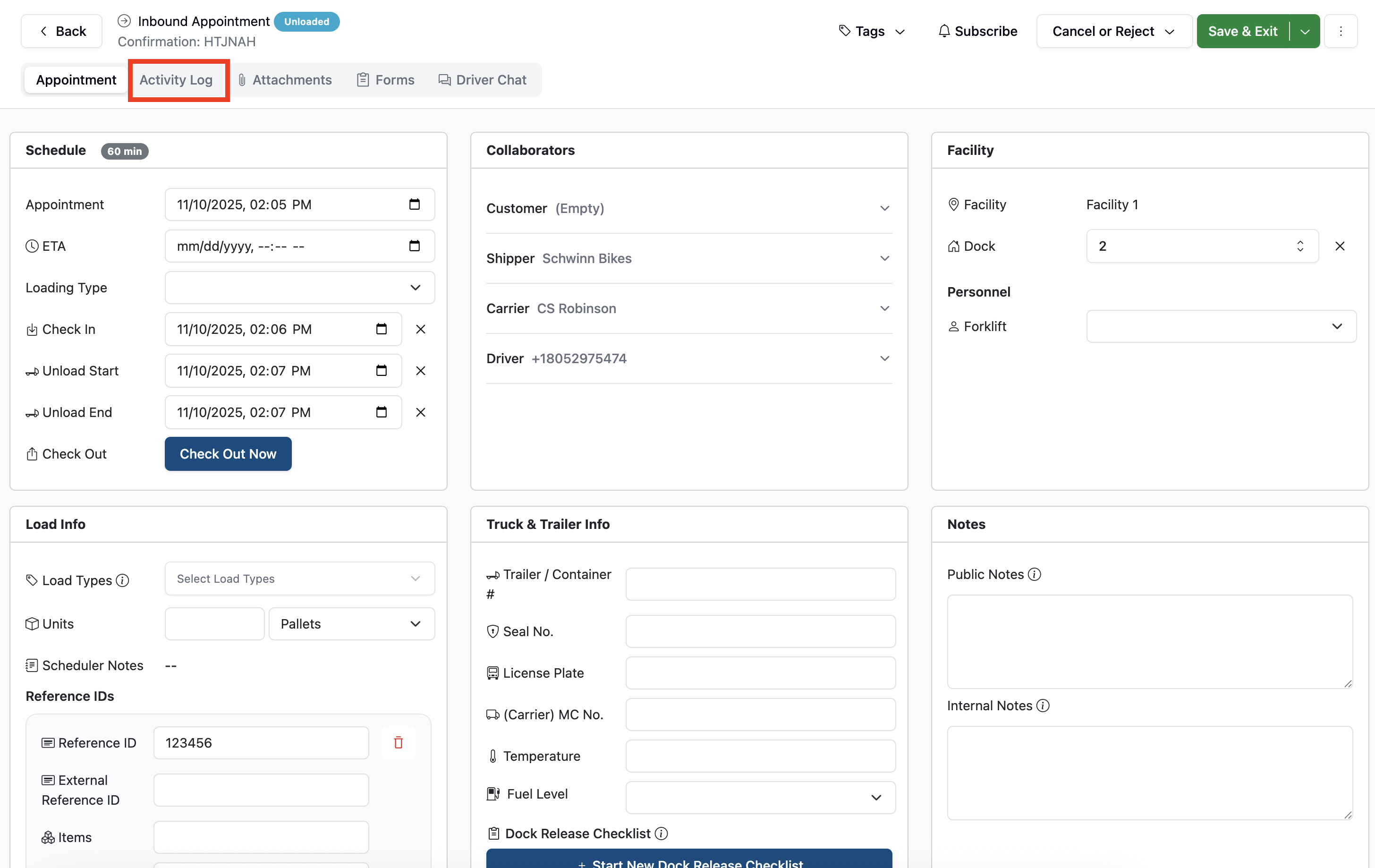
To see an activity log of an individual appointment, first navigate to the appointment details page, and click on Activity Log at the top left of the screen.
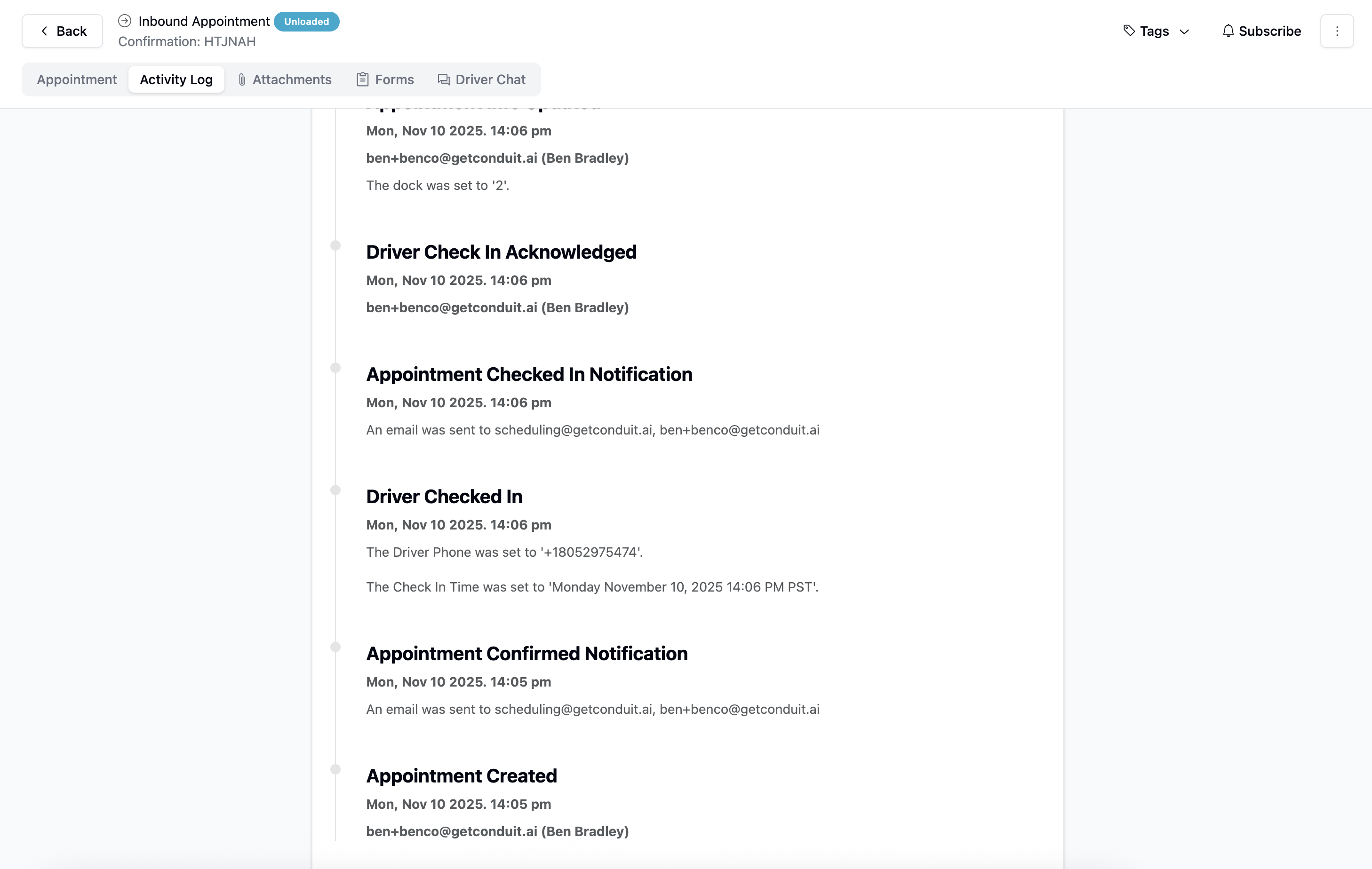
On this page, you'll be able to see a detailed history of any changes or edits made to this appointment since it's creation (as well as the user/booker who created it).
Facility Change History
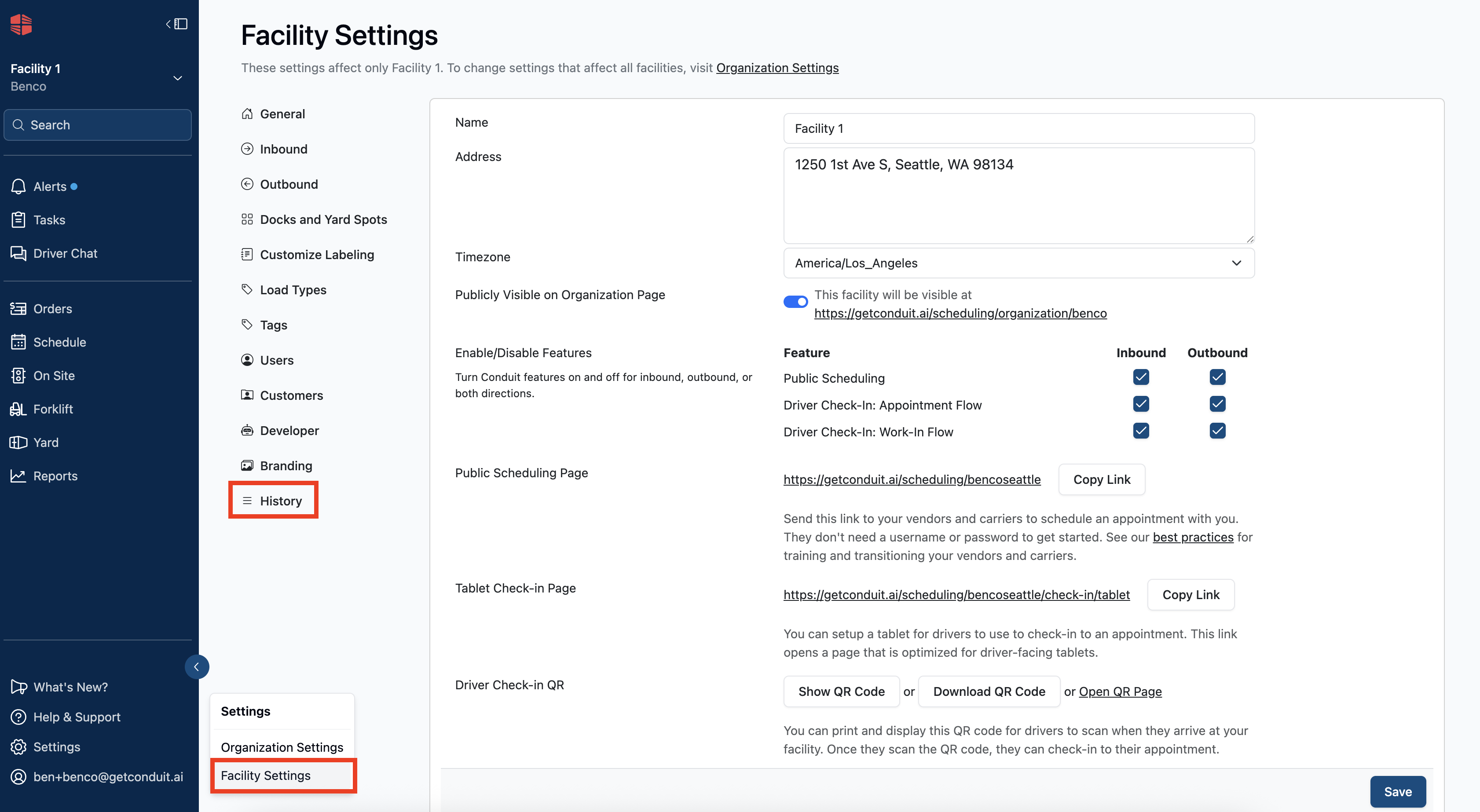
To see a history of changes to your facility settings, navigate to the Settings tab on the main page, followed by clicking the History tab at the bottom of the sidebar.
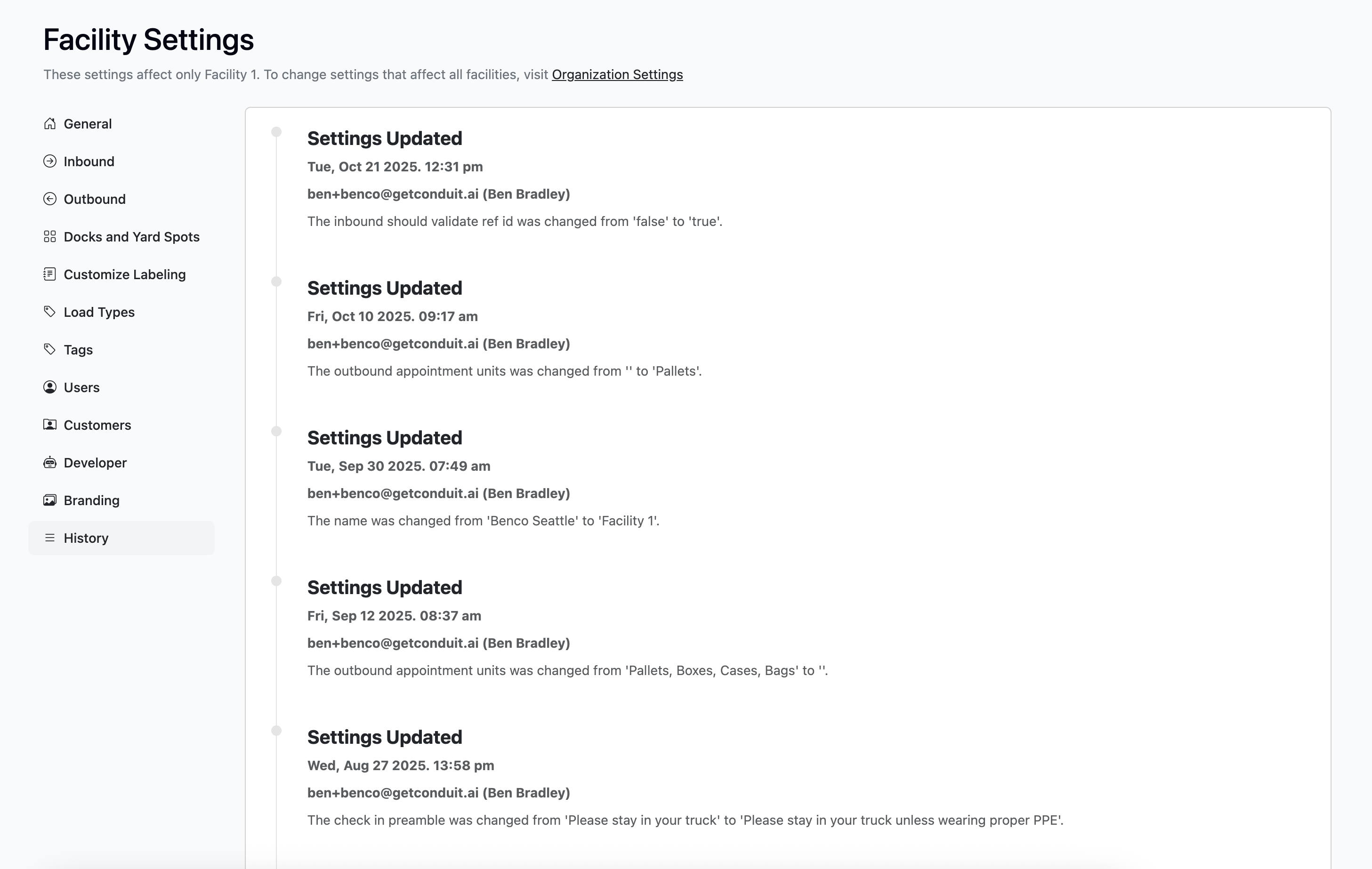
On this page you'll see a list of all changes made to the facility, as well as the time, date, and user who made the changes.
Frequently Asked Questions
Who is the user tagged in each history note?
The user tagged in each note will be the user logged into the account (see the bottom left page of the options tab), or the carrier who booked the appointment. For history purposes, we recommend having an individual log-in for each person using the system.